
READ TABLE Statement in SAP ABAP: Everything You Need to Know
Table of Contents
- • What is READ TABLE and Why Does It Exist?
- • The Three Flavors of READ TABLE
- • Flavor 1: READ TABLE with INDEX
- ↳ Basic Syntax:
- ↳ Real Example:
- ↳ When to Use INDEX:
- ↳ Important System Variable: sy-subrc
- • Flavor 2: READ TABLE with KEY
- ↳ Basic Syntax (Table Key):
- ↳ Real Example: Searching by Single Key Field
- ↳ Real Example: Searching by Multiple Key Fields
- • Flavor 3: READ TABLE with BINARY SEARCH
- ↳ How Binary Search Works:
- ↳ Syntax:
- ↳ Full Working Example:
- • READ TABLE with FIELD SYMBOLS
- ↳ Syntax:
- • TRANSPORTING Addition: Fetch Only What You Need
- • READ TABLE in a Real Project Scenario
- • Where Most People Go Wrong
- • Quick Reference: READ TABLE Variations
- • Wrapping Up
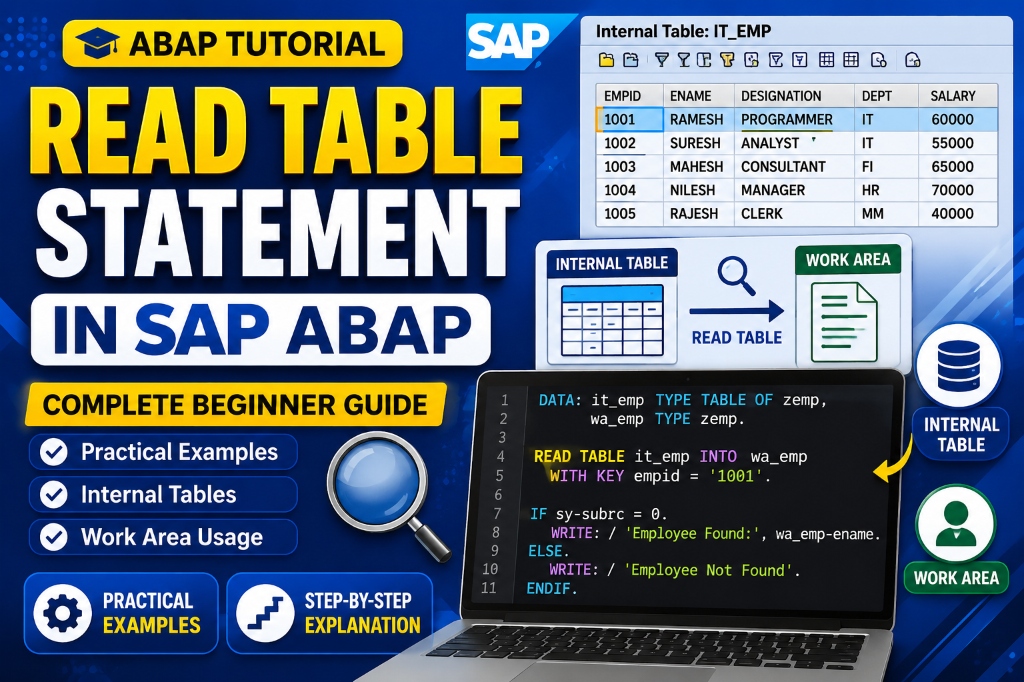
I want to share something that took me some time to figure out when I was learning ABAP.
I used to write LOOP AT for every internal table operation.
- Need one record?
LOOP AT. - Need to check if something exists?
LOOP AT. - Need to fetch a value by key? Still
LOOP AT. With anIFinside it.
One day my senior looked at my code and said, “Daksh, why are you looping through 50,000 records just to fetch one entry?”
That’s when I properly understood READ TABLE.
If you’re writing ABAP programs and you haven’t fully explored READ TABLE yet, this post will change how you code. It will change it significantly.
What is READ TABLE and Why Does It Exist?
Internal tables in ABAP store rows of data in memory, similar to a spreadsheet. Most of the time, you’ll work with these tables in two main situations:
| Situation | Description | Correct Statement |
|---|---|---|
| Process Every Row | You need to loop through and process every single record in the table. | LOOP AT |
| Fetch One Row | You need to retrieve exactly one specific record based on a condition or index. | READ TABLE |
READ TABLE exists specifically for the second situation. It lets you reach into an internal table and pull out exactly one record. You can search by its position (index), a key match, or a field-level condition, without iterating through the entire table.
The performance difference is huge:
- On a table with 100,000 records, a
LOOP ATwith anEXITafter finding a match still processes records one by one until it hits your condition (Linear Search). READ TABLEpaired with a key or a binary search jumps directly to the record, drastically reducing the search time.
The Three Flavors of READ TABLE
READ TABLE works in three primary ways. Understanding all three and knowing when to use each is what separates a junior ABAP developer from someone who writes highly efficient code.
- READ TABLE with INDEX (Accessing by row number)
- READ TABLE with KEY (Accessing by field values)
- READ TABLE with BINARY SEARCH (High-performance search on sorted tables)
Let’s go through each one.
Flavor 1: READ TABLE with INDEX
This is index-based access. You’re saying: “Give me the record sitting at row number N.”
Basic Syntax:
READ TABLE lt_employees INDEX 3 INTO ls_employee.This reads row number 3 from lt_employees and puts it into the work area ls_employee.
Real Example:
TYPES: BEGIN OF ty_product,
         prod_id   TYPE char10,
         prod_name TYPE char50,
         price     TYPE p DECIMALS 2,
       END OF ty_product.

DATA: lt_products TYPE TABLE OF ty_product,
      ls_product  TYPE ty_product.

ls_product-prod_id   = 'P001'.
ls_product-prod_name = 'Laptop'.
ls_product-price     = 75000.
APPEND ls_product TO lt_products.

ls_product-prod_id   = 'P002'.
ls_product-prod_name = 'Mouse'.
ls_product-price     = 850.
APPEND ls_product TO lt_products.

ls_product-prod_id   = 'P003'.
ls_product-prod_name = 'Keyboard'.
ls_product-price     = 1200.
APPEND ls_product TO lt_products.

" Read row index 2
READ TABLE lt_products INDEX 2 INTO ls_product.

IF sy-subrc = 0.
  WRITE: / 'Product found:' , ls_product-prod_name,
         'Price:', ls_product-price.
ELSE.
  WRITE: / 'No record found at this index.'.
ENDIF.
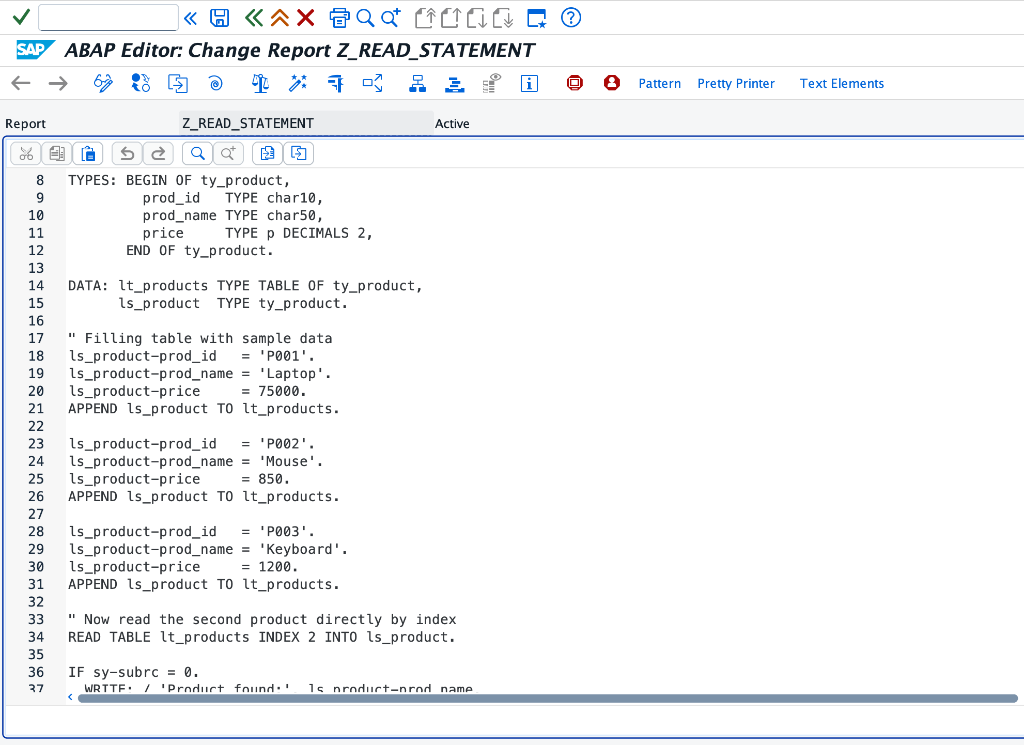
Code Declarations inside the ABAP Editor:
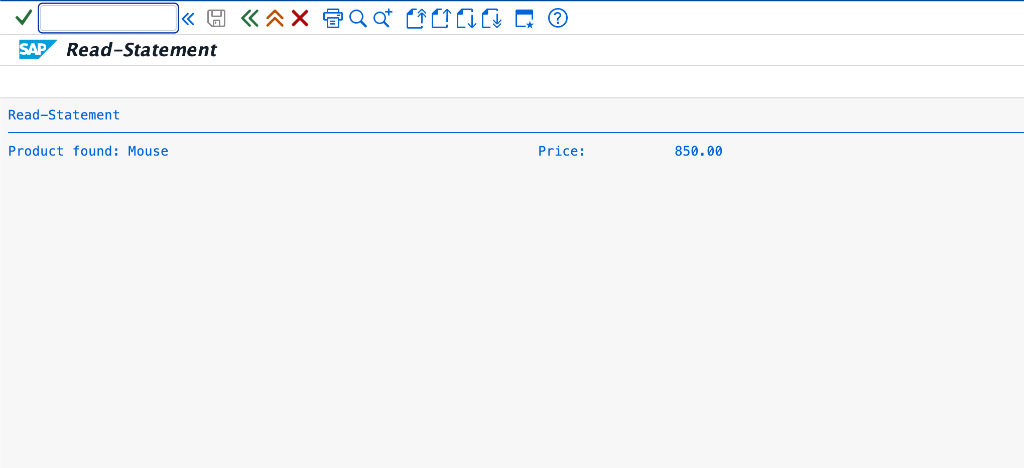
Program Execution Output:
When to Use INDEX:
- When you are inside a
LOOP ATand need to access a specific row from another parallel table based on the current loop countersy-tabix. - When building custom navigation logic (e.g., getting the next or previous record).
- When you know the exact position of your data (less common in dynamic business logic, but highly valid).
Important System Variable: sy-subrc
After every READ TABLE, you must check sy-subrc.
- If
sy-subrc = 0, the record was successfully found. - If
sy-subrc = 4, no record was found at that position or matching the key.
[!WARNING] Never skip the
sy-subrccheck! Accessing the work area fields after a failedREAD TABLEgives you leftover data from previous operations, leading to critical bugs.
Flavor 2: READ TABLE with KEY
This is the most commonly used form in real-world projects. Instead of index position, you are searching by field values.
Basic Syntax (Table Key):
READ TABLE lt_employees WITH TABLE KEY emp_id = '10025' INTO ls_employee.Real Example: Searching by Single Key Field
TYPES: BEGIN OF ty_employee,
         emp_id   TYPE char8,
         emp_name TYPE char40,
         dept     TYPE char20,
         salary   TYPE p DECIMALS 2,
       END OF ty_employee.

DATA: lt_employees TYPE TABLE OF ty_employee,
      ls_employee  TYPE ty_employee.

ls_employee-emp_id   = 'E001'.
ls_employee-emp_name = 'Rahul Sharma'.
ls_employee-dept     = 'Finance'.
ls_employee-salary   = 55000.
APPEND ls_employee TO lt_employees.

ls_employee-emp_id   = 'E002'.
ls_employee-emp_name = 'Priya Mehta'.
ls_employee-dept     = 'Logistics'.
ls_employee-salary   = 62000.
APPEND ls_employee TO lt_employees.

ls_employee-emp_id   = 'E003'.
ls_employee-emp_name = 'Arjun Patel'.
ls_employee-dept     = 'IT'.
ls_employee-salary   = 70000.
APPEND ls_employee TO lt_employees.

" Read by Key
READ TABLE lt_employees WITH KEY emp_id = 'E002' INTO ls_employee.

IF sy-subrc = 0.
  WRITE: / 'Employee:', ls_employee-emp_name,
         'Department:', ls_employee-dept,
         'Salary:', ls_employee-salary.
ELSE.
  WRITE: / 'Employee not found.'.
ENDIF.
Output: Employee: Priya Mehta Department: Logistics Salary: 62,000.00
Real Example: Searching by Multiple Key Fields
TYPES: BEGIN OF ty_order_item,
         order_no  TYPE char10,
         item_no   TYPE char6,
         material  TYPE char18,
         quantity  TYPE i,
         unit      TYPE char3,
       END OF ty_order_item.

DATA: lt_order_items TYPE TABLE OF ty_order_item,
      ls_order_item  TYPE ty_order_item.

ls_order_item-order_no  = '4500001234'.
ls_order_item-item_no   = '000010'.
ls_order_item-material  = 'PUMP-XR200'.
ls_order_item-quantity  = 5.
ls_order_item-unit      = 'EA'.
APPEND ls_order_item TO lt_order_items.

ls_order_item-order_no  = '4500001234'.
ls_order_item-item_no   = '000020'.
ls_order_item-material  = 'VALVE-AB40'.
ls_order_item-quantity  = 12.
ls_order_item-unit      = 'EA'.
APPEND ls_order_item TO lt_order_items.

ls_order_item-order_no  = '4500001234'.
ls_order_item-item_no   = '000030'.
ls_order_item-material  = 'GASKET-50MM'.
ls_order_item-quantity  = 100.
ls_order_item-unit      = 'EA'.
APPEND ls_order_item TO lt_order_items.

" Read by Multiple Key Fields
READ TABLE lt_order_items
  WITH KEY order_no = '4500001234'
           item_no  = '000020'
  INTO ls_order_item.

IF sy-subrc = 0.
  WRITE: / 'Material:', ls_order_item-material,
         'Qty:', ls_order_item-quantity, ls_order_item-unit.
ENDIF.
Output: Material: VALVE-AB40 Qty: 12 EA
Flavor 3: READ TABLE with BINARY SEARCH
This is where performance comes in. By default, READ TABLE WITH KEY does a sequential search. It scans from row 1 downward until it finds a match. On small tables, this is fine. On tables with 10,000+ entries, this becomes a performance bottleneck.
BINARY SEARCH fixes this, with one strict condition: your internal table must be sorted by the key fields you are searching on before using binary search.
How Binary Search Works:
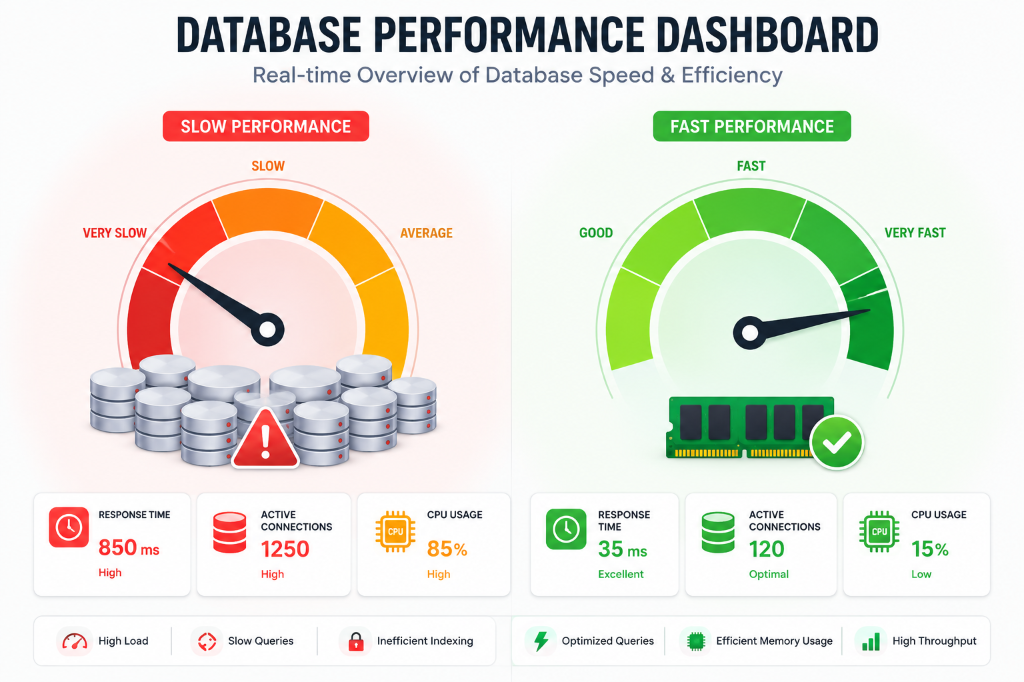
Instead of scanning every row, binary search splits the table in half, checks if your search value is in the upper or lower half, discards the irrelevant half, and repeats until it finds your record.
This reduces the search operations from $N$ (linear) to $\log_2 N$ (binary).
- On 10,000 records: Sequential search worst case = 10,000 comparisons.
- Binary search = around 13-14 comparisons.
Syntax:
SORT lt_employees BY emp_id.

READ TABLE lt_employees WITH KEY emp_id = 'E002'
  INTO ls_employee
  BINARY SEARCH.
Full Working Example:
TYPES: BEGIN OF ty_material,
         matnr TYPE char18,
         maktx TYPE char40,
         mtart TYPE char4,
         meinh TYPE char3,
       END OF ty_material.

DATA: lt_materials TYPE TABLE OF ty_material,
      ls_material  TYPE ty_material.

" Simulating a material list fetch
ls_material-matnr = 'MAT-00001'.
ls_material-maktx = 'Steel Rod 10mm'.
ls_material-mtart = 'ROH'.
ls_material-meinh = 'KG'.
APPEND ls_material TO lt_materials.

ls_material-matnr = 'MAT-00002'.
ls_material-maktx = 'Copper Wire 2mm'.
ls_material-mtart = 'ROH'.
ls_material-meinh = 'M'.
APPEND ls_material TO lt_materials.

ls_material-matnr = 'MAT-00003'.
ls_material-maktx = 'Rubber Sheet 5mm'.
ls_material-mtart = 'HALB'.
ls_material-meinh = 'M2'.
APPEND ls_material TO lt_materials.

ls_material-matnr = 'MAT-00004'.
ls_material-maktx = 'Aluminium Plate'.
ls_material-mtart = 'HALB'.
ls_material-meinh = 'KG'.
APPEND ls_material TO lt_materials.

" Step 1: SORT is mandatory before binary search
SORT lt_materials BY matnr.

" Step 2: Read with binary search
READ TABLE lt_materials WITH KEY matnr = 'MAT-00003'
  INTO ls_material
  BINARY SEARCH.

IF sy-subrc = 0.
  WRITE: / 'Material:', ls_material-maktx,
         'Type:', ls_material-mtart,
         'Unit:', ls_material-meinh.
ELSE.
  WRITE: / 'Material not found.'.
ENDIF.
Output:
Material: Rubber Sheet 5mm
Type: HALB
Unit: M2
[!IMPORTANT] The Golden Rule: Always pair
SORTandBINARY SEARCHtogether. If you useBINARY SEARCHon an unsorted table, you will get wrong results. No dump, no error—just wrong data silently. That is far worse because you won’t even know it happened.
READ TABLE with FIELD SYMBOLS
In ABAP, Field Symbols work like pointers. Instead of copying a row into a work area (which takes extra memory and time), a field symbol points directly to the row inside the internal table.
This has two major advantages:
- Performance: Zero data copying overhead.
- Direct Modification: Changes to the field symbol fields automatically update the internal table row.
Syntax:
FIELD-SYMBOLS: <ls_employee> TYPE ty_employee.

READ TABLE lt_employees WITH KEY emp_id = 'E001'
  ASSIGNING <ls_employee>.

IF sy-subrc = 0.
  " Directly modify salary without a MODIFY statement!
  <ls_employee>-salary = 65000.
ENDIF.
TRANSPORTING Addition: Fetch Only What You Need
When your internal table has 30 fields, but you only need 2 of them for a specific operation, fetching all 30 is wasteful. The TRANSPORTING clause lets you specify exactly which fields to copy over.
READ TABLE lt_employees WITH KEY emp_id = 'E003'
  INTO ls_employee
  TRANSPORTING emp_name salary.

" Only emp_name and salary are populated in ls_employee
" All other fields in ls_employee remain initial/blank
READ TABLE in a Real Project Scenario
Let’s see how READ TABLE fits into a complete, realistic program flow.
Scenario: Fetch all purchase order items from EKPO, and then for each item, look up its material description from MAKT preloaded into an internal table.
TYPES: BEGIN OF ty_makt,
         matnr TYPE mara-matnr,
         maktx TYPE makt-maktx,
       END OF ty_makt.

TYPES: BEGIN OF ty_output,
         ebeln TYPE ekpo-ebeln,
         ebelp TYPE ekpo-ebelp,
         matnr TYPE ekpo-matnr,
         maktx TYPE makt-maktx,
         menge TYPE ekpo-menge,
         meins TYPE ekpo-meins,
       END OF ty_output.

DATA: lt_ekpo   TYPE TABLE OF ekpo,
      lt_makt   TYPE TABLE OF ty_makt,
      lt_output TYPE TABLE OF ty_output,
      ls_ekpo   TYPE ekpo,
      ls_makt   TYPE ty_makt,
      ls_output TYPE ty_output.

" Step 1: Fetch PO items
SELECT ebeln ebelp matnr menge meins
  FROM ekpo
  INTO TABLE lt_ekpo
  WHERE loekz = space.   " Non-deleted items

" Step 2: Fetch all material descriptions in one shot
SELECT matnr maktx
  FROM makt
  INTO TABLE lt_makt
  WHERE spras = sy-langu.

" Step 3: Sort MAKT table for binary search
SORT lt_makt BY matnr.

" Step 4: Loop through PO items and enrich with description
LOOP AT lt_ekpo INTO ls_ekpo.
  CLEAR ls_output.
  ls_output-ebeln = ls_ekpo-ebeln.
  ls_output-ebelp = ls_ekpo-ebelp.
  ls_output-matnr = ls_ekpo-matnr.
  ls_output-menge = ls_ekpo-menge.
  ls_output-meins = ls_ekpo-meins.

  " READ TABLE instead of nested SELECT - Critical for performance!
  READ TABLE lt_makt WITH KEY matnr = ls_ekpo-matnr
    INTO ls_makt
    BINARY SEARCH.

  IF sy-subrc = 0.
    ls_output-maktx = ls_makt-maktx.
  ELSE.
    ls_output-maktx = 'Description Not Found'.
  ENDIF.

  APPEND ls_output TO lt_output.
ENDLOOP.

" Display output
LOOP AT lt_output INTO ls_output.
  WRITE: / ls_output-ebeln, ls_output-ebelp,
         ls_output-matnr, ls_output-maktx,
         ls_output-menge, ls_output-meins.
ENDLOOP.
Where Most People Go Wrong
- Mistake 1: Not checking
sy-subrcafter READ TABLE Always check it. A failed read doesn’t clear your work area. It keeps the previous values, leading to incorrect logic downstream. - Mistake 2: Using BINARY SEARCH without SORT You will get wrong results silently. No syntax error, no dump—just incorrect data flowing through your program.
- Mistake 3: Using READ TABLE inside SELECT loops
Instead of running a database select inside a loop, pre-load the lookups into an internal table, sort them, and use
READ TABLE ... BINARY SEARCHinside the loop. - Mistake 4: Forgetting TRANSPORTING when only a few fields are needed On wide tables, transporting only the required fields brings significant performance gains.
- Mistake 5: Modifying work area after ASSIGNING a field symbol
When using
ASSIGNING, changes to the field symbol are direct. Do not call aMODIFYstatement afterwards; it is completely redundant and can cause logic issues.
Quick Reference: READ TABLE Variations
" 1. By index
READ TABLE lt_tab INDEX 5 INTO ls_wa.

" 2. By table key
READ TABLE lt_tab WITH TABLE KEY field1 = val1 INTO ls_wa.

" 3. By any field (non-key search)
READ TABLE lt_tab WITH KEY field2 = val2 INTO ls_wa.

" 4. With binary search (table must be sorted first)
SORT lt_tab BY field1.
READ TABLE lt_tab WITH KEY field1 = val1 INTO ls_wa BINARY SEARCH.

" 5. Assigning field symbol (no copy, direct reference)
READ TABLE lt_tab WITH KEY field1 = val1 ASSIGNING <ls_wa>.

" 6. Transporting specific fields only
READ TABLE lt_tab WITH KEY field1 = val1
  INTO ls_wa TRANSPORTING field2 field3.

" 7. Check existence only (No data transfer, optimal speed)
READ TABLE lt_tab WITH KEY field1 = val1 TRANSPORTING NO FIELDS.
IF sy-subrc = 0.
  WRITE: / 'Record exists.'.
ENDIF.
Wrapping Up
READ TABLE looks simple on the surface. One statement, multiple variations. How you use it reveals your level as an ABAP developer more clearly than almost anything else.
- Beginners use
LOOP ATfor everything. - Mid-level developers discover
READ TABLEand use it occasionally. - Seniors use
READ TABLEwith binary search, field symbols, andTRANSPORTING NO FIELDSas naturally as breathing, because they have felt the performance difference on production systems with large data volumes.
Every time you are about to write a LOOP AT to find a single record, stop and ask yourself: Do I know the key? Can I sort this table first? Would using a field symbol or TRANSPORTING be better?
Nine times out of ten, READ TABLE is the correct answer.
Practice the examples in this post on your SAP system. Build your muscle memory. The next time your senior reviews your code, they will see someone who thinks about performance, not just functionality!
ABAP close looks are coming up on this blog. Keep learning, keep practicing!
— Daksh
learnsapfree.com

Written by Daksh Dedha
SAP Technical ConsultantDaksh is an SAP Technical Consultant specializing in ABAP programming, SAP S/4HANA migrations, Fiori development, and BTP cloud architecture. He authors free, hands-on tutorials to make enterprise SAP education accessible to all developers.
Test Your Knowledge
Loading question...
Quiz Completed
Related Tutorials
SAP ABAP Enhancement Framework — User Exits, BADIs, and Enhancement Points
Master SAP ABAP enhancements. Learn User Exits, Customer Exits, BADIs, Enhancement Points, and Implicit/Explicit Enhancement Spots to modify standard SAP without modifying source code.
ABAP ProgrammingABAP CDS Views — Core Data Services Complete Guide for Beginners
Learn ABAP CDS Views from scratch. Understand how to create CDS views in Eclipse ADT, use annotations, associations, parameters, and build OData services with CDS.
ABAP ProgrammingMessage Handling in SAP ABAP — Complete SE91 Message Classes Guide
Master SAP ABAP message handling. Learn how to create message classes in transaction SE91, use the MESSAGE statement, handle error types A E W I S X, and pass placeholders.
Found this tutorial useful? Share it with your SAP development team.