
BAPI in SAP ABAP — What It Is, How It Works, and When to Use It
Table of Contents
- • What is a BAPI?
- • BAPI vs regular Function Module — what’s the actual difference?
- • Finding BAPIs — transaction BAPI
- • How to call a BAPI — real code example
- ↳ The code
- ↳ What this code does, step by step
- • Why BAPIs don’t commit automatically
- • Commonly used BAPIs — the ones you’ll actually need
- • How to test a BAPI before writing code
- • The ‘X’ structure pattern — why it exists
- • Quick checkpoint
- • Common mistakes
- • Wrapping up
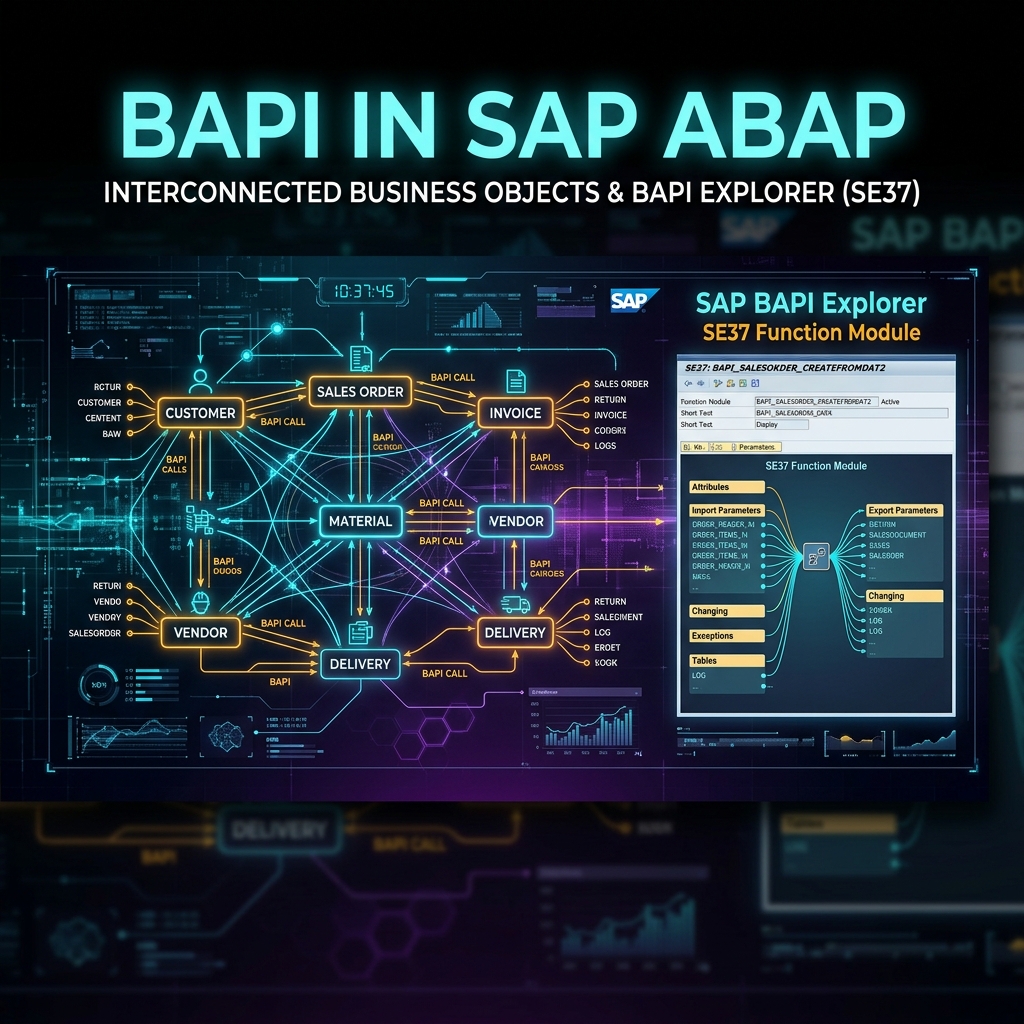
If you’ve been working with ABAP for a while, you’ve probably seen BAPIs mentioned everywhere. Job descriptions want “BAPI experience.” Interview questions ask “explain the difference between BAPI and Function Module.” Senior developers casually say “just use the BAPI for that.” And you nod, half understanding what they mean.
I remember my first encounter with BAPIs clearly. I was asked to create a purchase order programmatically in a custom Z-report. My first instinct was to write INSERT statements directly into the EKKO and EKPO tables. My team lead looked at me like I’d suggested setting the server room on fire. “Use the BAPI,” he said. “BAPI_PO_CREATE1.”
That was the day I learned that in SAP, there’s a right way and a very wrong way to create business documents. BAPIs are the right way.
What is a BAPI?
BAPI stands for Business Application Programming Interface.
At its core, a BAPI is a function module. Technically, it’s a specific type of function module that SAP has designated as the official, supported, stable way to interact with a business object.
Here’s what that means in practice:
If you want to create a purchase order, SAP has a business object called PurchaseOrder. That business object has methods. One of those methods is CreateFromData1, which maps to the function module BAPI_PO_CREATE1. This function module is the BAPI. It’s SAP’s way of saying “this is the correct function to call when you want to create a purchase order programmatically.”
Every BAPI follows a contract:
- SAP guarantees backward compatibility. If you call BAPI_PO_CREATE1 in EHP4, it still works in EHP8 and S/4HANA. SAP doesn’t change or remove BAPIs without providing a replacement.
- BAPIs handle all the business logic internally. Validation, determination, posting — it all happens inside.
- BAPIs use a standard return parameter (usually a table called
RETURNwith structureBAPIRET2) to communicate success or failure. - BAPIs don’t commit to the database by themselves. You have to call
BAPI_TRANSACTION_COMMITseparately after the BAPI succeeds. This is a deliberate design choice that I’ll explain later.
BAPI vs regular Function Module — what’s the actual difference?
This comes up in every ABAP interview. The honest answer is: technically, a BAPI IS a function module. But there are important distinctions.
| Aspect | Regular Function Module | BAPI |
|---|---|---|
| Created by | Anyone (SAP or custom developer) | SAP only (custom BAPIs are possible but rare) |
| Stability guarantee | None. SAP can change internal FMs between releases | Backward compatible. SAP guarantees the interface stays stable |
| Error handling | EXCEPTIONS (raise/catch) | RETURN parameter table (BAPIRET2 structure) |
| Commit behavior | May or may not commit internally | Never commits. You call BAPI_TRANSACTION_COMMIT separately |
| Business Object link | None | Linked to a Business Object in the BOR (Business Object Repository) |
| RFC enabled | May or may not be | Always RFC-enabled. Can be called from external systems |
| Naming convention | BAPI_* is reserved | Always starts with BAPI_ |
| Found in | SE37 | SE37 + BAPI Explorer (transaction BAPI) |
The practical difference? If SAP gives you a BAPI for a task, use it. If there’s no BAPI, you might use a regular function module, a BDC recording, or a direct ABAP statement. But BAPI is always the preferred option when it exists.
Finding BAPIs — transaction BAPI
Transaction: BAPI
This opens the BAPI Explorer, which is the official catalog of all BAPIs in your system. The left panel shows a tree of Business Objects organized by application area:
├── Cross-Application
├── Financial Accounting
│   ├── General Ledger
│   │   └── Account (object)
│   │       ├── GetList (method) → BAPI_GL_ACC_GETLIST
│   │       └── GetDetail (method) → BAPI_GL_ACC_GETDETAIL
│   ├── Accounts Receivable
│   ├── Accounts Payable
├── Materials Management
│   ├── Purchase Order
│   │   ├── CreateFromData1 → BAPI_PO_CREATE1
│   │   ├── GetDetail1 → BAPI_PO_GETDETAIL1
│   │   └── Change → BAPI_PO_CHANGE
│   ├── Purchase Requisition
│   ├── Material
├── Sales and Distribution
│   ├── Sales Order
│   │   ├── CreateFromDat2 → BAPI_SALESORDER_CREATEFROMDAT2
│   │   └── GetList → BAPI_SALESORDER_GETLIST
Click on any method and the right panel shows the function module name, its parameters, and documentation.
This is the starting point whenever someone asks you to “do something programmatically in SAP.” Open transaction BAPI, find the relevant business object, and check if a BAPI method exists for your requirement.
How to call a BAPI — real code example
Here’s a complete, working example. We’ll call BAPI_PO_CREATE1 to create a purchase order.
The code
REPORT z_create_po_via_bapi.

DATA: ls_header    TYPE bapimepoheader,
      ls_headerx   TYPE bapimepoheaderx,
      lt_items     TYPE TABLE OF bapimepoitem,
      lt_itemsx    TYPE TABLE OF bapimepoitemx,
      lt_schedule  TYPE TABLE OF bapimeposchedule,
      lt_schedulex TYPE TABLE OF bapimeposchedulx,
      lt_return    TYPE TABLE OF bapiret2,
      lv_po_number TYPE bapimepoheader-po_number.

DATA: ls_item     TYPE bapimepoitem,
      ls_itemx    TYPE bapimepoitemx,
      ls_sched    TYPE bapimeposchedule,
      ls_schedx   TYPE bapimeposchedulx.

* --- Header data ---
ls_header-doc_type   = 'NB'.        " Standard PO
ls_header-purch_org  = '1000'.      " Purchasing organization
ls_header-pur_group  = '001'.       " Purchasing group
ls_header-comp_code  = '1000'.      " Company code
ls_header-vendor     = '0000001000'. " Vendor number

ls_headerx-doc_type  = 'X'.
ls_headerx-purch_org = 'X'.
ls_headerx-pur_group = 'X'.
ls_headerx-comp_code = 'X'.
ls_headerx-vendor    = 'X'.

* --- Item data ---
ls_item-po_item    = '00010'.      " Item number
ls_item-material   = '000000000000001000'. " Material number
ls_item-plant      = '1000'.       " Plant
ls_item-quantity   = '100'.        " Quantity
ls_item-net_price  = '50.00'.      " Net price per unit

ls_itemx-po_item   = '00010'.
ls_itemx-po_itemx  = 'X'.
ls_itemx-material  = 'X'.
ls_itemx-plant     = 'X'.
ls_itemx-quantity  = 'X'.
ls_itemx-net_price = 'X'.

APPEND ls_item  TO lt_items.
APPEND ls_itemx TO lt_itemsx.

* --- Schedule line ---
ls_sched-po_item      = '00010'.
ls_sched-sched_line   = '0001'.
ls_sched-delivery_date = sy-datum + 30.  " Delivery 30 days from today
ls_sched-quantity      = '100'.

ls_schedx-po_item     = '00010'.
ls_schedx-sched_line  = '0001'.
ls_schedx-delivery_date = 'X'.
ls_schedx-quantity     = 'X'.

APPEND ls_sched  TO lt_schedule.
APPEND ls_schedx TO lt_schedulex.

* --- Call the BAPI ---
CALL FUNCTION 'BAPI_PO_CREATE1'
  EXPORTING
    poheader         = ls_header
    poheaderx        = ls_headerx
  IMPORTING
    exppurchaseorder = lv_po_number
  TABLES
    return           = lt_return
    poitem           = lt_items
    poitemx          = lt_itemsx
    poschedule       = lt_schedule
    poschedulex      = lt_schedulex.

* --- Check the result ---
READ TABLE lt_return WITH KEY type = 'E' TRANSPORTING NO FIELDS.
IF sy-subrc = 0.
  " Errors found
  WRITE: / 'Errors occurred:'.
  LOOP AT lt_return INTO DATA(ls_return) WHERE type = 'E' OR type = 'A'.
    WRITE: / ls_return-type, ls_return-id, ls_return-number, ls_return-message.
  ENDLOOP.

  " Rollback
  CALL FUNCTION 'BAPI_TRANSACTION_ROLLBACK'.
ELSE.
  " Success - commit
  CALL FUNCTION 'BAPI_TRANSACTION_COMMIT'
    EXPORTING
      wait = 'X'.  " Wait until commit is complete

  WRITE: / 'Purchase Order created:', lv_po_number.
ENDIF.
What this code does, step by step
-
Fills the header structure with PO document type, purchasing org, vendor, etc. The
headerxstructure is a flag structure — every field you put an ‘X’ in tells the BAPI “I’m deliberately setting this field.” -
Fills one item with material, plant, quantity, and price. Again with the corresponding
itemxflag structure. -
Fills a schedule line with delivery date and quantity.
-
Calls BAPI_PO_CREATE1. The BAPI validates everything, determines pricing conditions, checks vendor status, and if everything is valid, prepares the PO for posting.
-
Checks the RETURN table for errors. This is critical. The BAPI communicates ALL results (success, warnings, errors) through this table. Type ‘E’ means error, ‘A’ means abort, ‘S’ means success, ‘W’ means warning.
-
Commits or rolls back. If no errors, call
BAPI_TRANSACTION_COMMITto actually save the PO to the database. If errors, callBAPI_TRANSACTION_ROLLBACKto undo everything.
Why BAPIs don’t commit automatically
This confuses a lot of beginners. You call the BAPI, it says success, but the PO doesn’t show up in ME23N. What happened?
BAPIs are designed to be called in sequences. Imagine this scenario:
- Create a purchase order (BAPI_PO_CREATE1)
- Create a goods receipt for that PO (BAPI_GOODSMVT_CREATE)
- Post an invoice against the GR (BAPI_INCOMINGINVOICE_CREATE)
If each BAPI committed immediately after success, and step 3 fails, you’d have a PO and a GR with no invoice. Messy.
By separating the commit, you can call all 3 BAPIs, check that ALL succeeded, and then commit everything together. If any step fails, you roll back everything. Clean. Atomic.
* Pseudocode for multi-BAPI transaction
CALL FUNCTION 'BAPI_PO_CREATE1' ...       " Step 1
CALL FUNCTION 'BAPI_GOODSMVT_CREATE' ...   " Step 2
CALL FUNCTION 'BAPI_INCOMINGINVOICE_CREATE' ... " Step 3

IF all_steps_succeeded.
  CALL FUNCTION 'BAPI_TRANSACTION_COMMIT' EXPORTING wait = 'X'.
ELSE.
  CALL FUNCTION 'BAPI_TRANSACTION_ROLLBACK'.
ENDIF.
The wait = 'X' parameter in BAPI_TRANSACTION_COMMIT tells the system “don’t return until the commit is fully finished.” Without it, the commit happens asynchronously and you might check the database before it’s done.
Commonly used BAPIs — the ones you’ll actually need
| BAPI Function Module | What it does |
|---|---|
| BAPI_PO_CREATE1 | Create purchase order |
| BAPI_PO_CHANGE | Change purchase order |
| BAPI_PO_GETDETAIL1 | Read purchase order details |
| BAPI_SALESORDER_CREATEFROMDAT2 | Create sales order |
| BAPI_GOODSMVT_CREATE | Post goods movement (GR, GI, transfer posting) |
| BAPI_INCOMINGINVOICE_CREATE | Post vendor invoice |
| BAPI_ACC_DOCUMENT_POST | Post accounting document |
| BAPI_MATERIAL_GETLIST | Get list of materials |
| BAPI_MATERIAL_GET_DETAIL | Read material master detail |
| BAPI_CUSTOMER_GETLIST | Get list of customers |
| BAPI_VENDOR_GETDETAIL | Read vendor master detail |
| BAPI_USER_GET_DETAIL | Get user details |
| BAPI_COMPANYCODE_GETLIST | Get list of company codes |
| BAPI_COSTCENTER_GETLIST | Get list of cost centers |
You won’t memorize all of these. But knowing the pattern helps: BAPI_<OBJECT>_<ACTION>. Purchase order create? BAPI_PO_CREATE1. Sales order create? BAPI_SALESORDER_CREATEFROMDAT2. Material get list? BAPI_MATERIAL_GETLIST.
How to test a BAPI before writing code
Transaction: SE37
Enter the BAPI function module name (e.g., BAPI_PO_CREATE1) and click Test/Execute (F8).
SE37 gives you a screen where you can fill in all input parameters, execute the function module, and see the output. This is incredibly useful for understanding what parameters a BAPI expects and what it returns.
For table parameters (like POITEM), click the parameter name to open a table editor where you can add rows.
I always test a BAPI in SE37 first before writing any code. It tells me exactly which fields are mandatory, what format they expect, and what error messages come back when something’s wrong. 10 minutes in SE37 saves 2 hours of debugging in your program.
The ‘X’ structure pattern — why it exists
Almost every BAPI that creates or changes data has paired structures:
POHEADER(the actual data) +POHEADERX(the flags)POITEM(the actual data) +POITEMX(the flags)
Why? Because when you change a purchase order, you might only want to change the delivery date on item 10. You don’t want to resend ALL fields for ALL items. The ‘X’ structure tells the BAPI exactly which fields you’re intentionally setting.
If POHEADERX-VENDOR = 'X', the BAPI uses the value in POHEADER-VENDOR. If POHEADERX-VENDOR = ' ' (space/initial), the BAPI ignores whatever is in POHEADER-VENDOR, even if it has a value.
This matters for change operations. For create operations, you typically set ‘X’ for every field you fill. For change operations, you only set ‘X’ for the fields you want to modify.
Forgetting the ‘X’ structure is one of the top BAPI bugs. You fill the data structure perfectly, call the BAPI, get success, commit, and the field is still empty. Because you forgot to flag it in the ‘X’ structure.
Quick checkpoint
Question 1: You called BAPI_PO_CREATE1 and the RETURN table has a message with type ‘S’ and the PO number. But when you check ME23N, the PO doesn’t exist. What did you forget?
Answer: You forgot to call BAPI_TRANSACTION_COMMIT after the BAPI. Without commit, the PO is created in memory but never saved to the database.
Question 2: You want to change only the delivery date on item 10 of an existing purchase order. You fill POITEM-DELIVERY_DATE with the new date. What else must you do?
Answer: Set POITEMX-DELIVERY_DATE = ‘X’ and POITEMX-PO_ITEM = ‘00010’. Without the X flag, the BAPI ignores your delivery date value.
Question 3: Where do you find which BAPI to use for creating a material master record?
Answer: Transaction BAPI (BAPI Explorer). Navigate to Materials Management → Material → look for a CreateFromData method.
Common mistakes
Mistake 1: Not checking the RETURN table. Some developers call the BAPI and immediately commit without reading the RETURN table. The BAPI might have returned errors. Always check for type ‘E’ and ‘A’ messages before committing.
Mistake 2: Using COMMIT WORK instead of BAPI_TRANSACTION_COMMIT. They do similar things, but BAPI_TRANSACTION_COMMIT also triggers special BAPI-related processing (like update function modules registered by the BAPI). Always use the BAPI commit after a BAPI call.
Mistake 3: Forgetting the ‘X’ flag structures. Covered above. If your BAPI call succeeds but the data doesn’t look right, check the X structures first.
Mistake 4: Calling multiple BAPIs for different business objects without understanding the LUW. Each BAPI expects to run in its own Logical Unit of Work. If you call BAPI_PO_CREATE1 followed by BAPI_SALESORDER_CREATEFROMDAT2 without committing between them, you can get unexpected results. Some combinations work, some don’t. Test carefully.
Mistake 5: Hardcoding values instead of reading from master data. In my example above, I hardcoded the vendor number, material number, and plant. In real programs, these would come from user input, an upload file, or another table lookup. Hardcoded BAPIs are fine for testing. In production, pull values from their proper source.
Wrapping up
BAPIs are the correct way to create, read, update, and delete business data in SAP programmatically. They’re function modules with an extra layer of stability, standard error handling, and RFC capability. Every ABAP developer needs to be comfortable finding BAPIs in the BAPI Explorer, testing them in SE37, and calling them with proper commit handling.
The pattern is always the same: find the BAPI, fill the data structures, flag the X structures, call the function, check the RETURN table, commit or rollback. Once you’ve done it 3 or 4 times with different BAPIs, it becomes second nature.
Related reads on this site:
- Function Modules in ABAP — understanding function modules (the foundation BAPIs are built on)
- ABAP Open SQL and Database Operations — reading data from SAP tables
- SAP ABAP Select Statement — querying database tables in ABAP

Written by Daksh Dedha
SAP Technical ConsultantDaksh is an SAP Technical Consultant specializing in ABAP programming, SAP S/4HANA migrations, Fiori development, and BTP cloud architecture. He authors free, hands-on tutorials to make enterprise SAP education accessible to all developers.
Test Your Knowledge
Loading question...
Quiz Completed
Related Tutorials
SAP ABAP Enhancement Framework — User Exits, BADIs, and Enhancement Points
Master SAP ABAP enhancements. Learn User Exits, Customer Exits, BADIs, Enhancement Points, and Implicit/Explicit Enhancement Spots to modify standard SAP without modifying source code.
ABAP ProgrammingABAP CDS Views — Core Data Services Complete Guide for Beginners
Learn ABAP CDS Views from scratch. Understand how to create CDS views in Eclipse ADT, use annotations, associations, parameters, and build OData services with CDS.
ABAP ProgrammingMessage Handling in SAP ABAP — Complete SE91 Message Classes Guide
Master SAP ABAP message handling. Learn how to create message classes in transaction SE91, use the MESSAGE statement, handle error types A E W I S X, and pass placeholders.
Found this tutorial useful? Share it with your SAP development team.