
How to Start a Career in SAP ABAP: Complete Roadmap for Freshers
Table of Contents
- • What Is SAP ABAP?
- • Why Choose SAP ABAP Specifically?
- • What Does an SAP ABAP Developer Do at Work?
- ↳ 1. Custom Report Development
- ↳ 2. Interface Development
- ↳ 3. Modifications and Enhancements
- ↳ 4. Data Migration
- ↳ 5. Document Form Development
- ↳ 6. Debugging and Troubleshooting
- • SAP ABAP Developer Skill Map: What You Need to Learn
- ↳ Stage 1: SAP Basics (Weeks 1 – 3)
- ↳ Stage 2: SAP ABAP Dictionary Basics (Weeks 4 – 6)
- ↳ Stage 3: Core ABAP Programming (Weeks 7 – 14)
- ↳ Stage 4: ALV Reports (Weeks 15 – 18)
- ↳ Stage 5: Dialog Programming (Weeks 19 – 22)
- ↳ Stage 6: Enhancements (Weeks 23 – 27)
- ↳ Stage 7: Integration & Modern Models (Weeks 28 – 34)
- ↳ Stage 8: Object-Oriented ABAP (OOP)
- • Tools and Transaction Codes Every ABAP Fresher Must Know
- • How to Get Hands-On Practice Without a Job
- • Building Your Resume as an ABAP Newcomer
- • Where to Apply for ABAP Newcomer Jobs
- • What Interviewers Test ABAP Newcomers On
- • Realistic Timeline to Your First ABAP Job
- • One Last Thing Before You Start

I want to be honest with you. When I first heard about SAP ABAP, I thought it was something the government had set up. Nobody at my college talked about SAP. Nobody explained what SAP ABAP developers actually do at work. When I finally started learning about it, I wished someone had explained everything from scratch in simple, direct language.
That is what this post is about. If you are a fresher from a Computer Science, IT, or any engineering background and you are curious about building a career in SAP ABAP, read this post fully. By the end of this guide, you will have a clear picture of what SAP ABAP is, what the daily work looks like, how to start learning, and how to land your first job.
I will give you a concrete, week-by-week roadmap—no vague advice.
What Is SAP ABAP?
SAP ABAP stands for Advanced Business Application Programming. It is SAP’s proprietary programming language, built specifically to develop business applications inside the SAP ERP ecosystem.
Think of it like this: web developers use JavaScript to build websites, and SAP developers use SAP ABAP to build custom functionality inside enterprise resource planning (ERP) systems. This includes reports, data forms, migration tools, interface connections, and automated workflows.
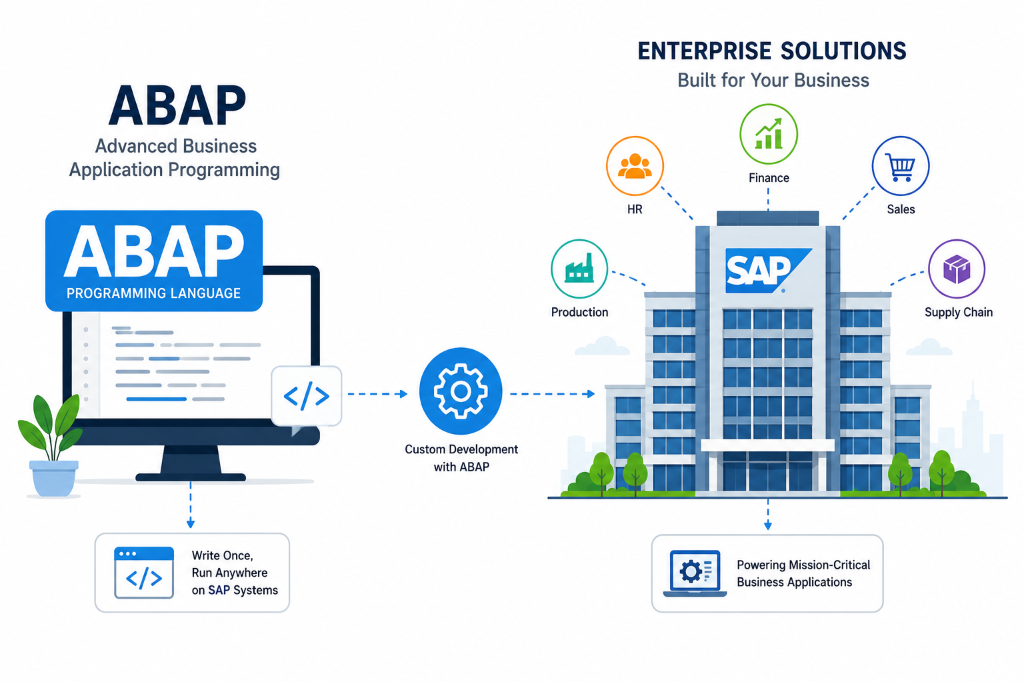
ABAP has been around since the 1980s, and SAP has continuously modernized it. Today’s ABAP is fully object-oriented, supports RESTful APIs, runs natively on the in-memory SAP HANA database, and integrates with modern cloud environments. When people say “ABAP is dying,” that is simply not true. It is evolving, and companies are actively hiring ABAP developers for S/4HANA migrations worldwide.
Why Choose SAP ABAP Specifically?
With dozens of programming languages and career paths out there, why pick SAP ABAP? Here is why it makes sense for freshers:
- High Demand & Longevity: Every company running SAP needs ABAP developers for custom configurations, data uploads, interface development, and system modifications. SAP systems run for decades, ensuring long-term job security.
- Lower Competition: Most Computer Science freshers chase Java, Python, or standard web development. Very few actively pursue SAP ABAP, resulting in less competition for entry-level roles.
- Premium Compensation: ABAP developers with 3-5 years of experience often command salaries that generic software engineers take 7-8 years to reach.
- Global Opportunities: SAP is an international platform. ABAP skills are highly valued across projects in the Middle East, Europe, Australia, and the USA, providing opportunities for onsite roles.
What Does an SAP ABAP Developer Do at Work?
Before committing to this career path, you should understand what a typical workday looks like. Here is a realistic picture of what ABAP developers handle:
1. Custom Report Development
Business managers need data formatted in ways standard SAP reports do not provide. ABAP developers write custom programs to query database tables, apply business logic, and display data cleanly using ALV (ABAP List Viewer) grids.
2. Interface Development
Companies use SAP alongside other legacy systems (e.g., Salesforce, third-party logistics apps). ABAP developers build connection interfaces using BAPIs, IDocs, RFCs, and REST Web Services to enable cross-system data synchronization.
3. Modifications and Enhancements
Sometimes standard SAP behaviors must be adjusted. ABAP developers use User Exits, BADIs (Business Add-Ins), and Enhancement Spots to inject custom business rules without altering the core standard SAP code.
4. Data Migration
When a company transitions to SAP, historical legacy data must be loaded. ABAP developers write extraction and upload programs using BDC (Batch Data Communication) or direct BAPI interfaces.
5. Document Form Development
Invoices, purchase orders, and shipping notes printed or emailed from SAP must be designed. ABAP developers build these layouts using SmartForms or Adobe Interactive Forms.
6. Debugging and Troubleshooting
Support work involves investigating system issues—e.g., why a report displays incorrect numbers or why an interface failed. ABAP developers use the built-in debugger to trace program executions step-by-step and fix bugs.
SAP ABAP Developer Skill Map: What You Need to Learn
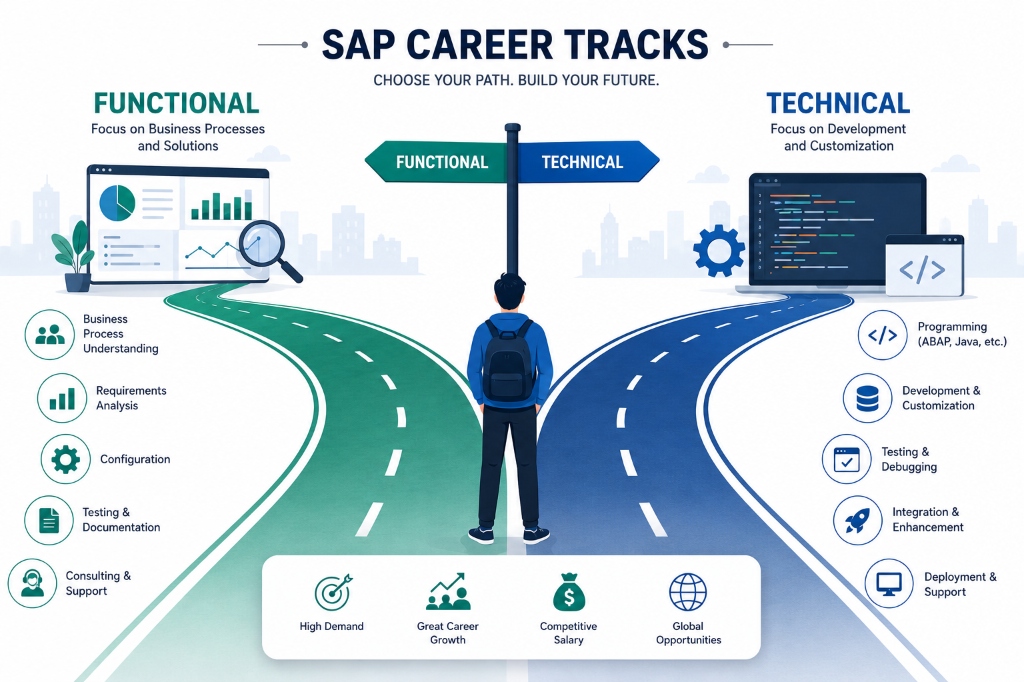
Here is your detailed learning roadmap, divided into logical stages to guide your weekly progress:
Stage 1: SAP Basics (Weeks 1 – 3)
Before writing a line of ABAP code, understand SAP as a system:
- Core Concepts: What is ERP and why do businesses use it?
- Architecture: NetWeaver architecture, three-tier systems, and clients.
- Interface: SAP GUI navigation, standard menus, and basic developer T-codes.
Stage 2: SAP ABAP Dictionary Basics (Weeks 4 – 6)
Understand how data is structured and validated in SAP database tables:
- Objects: Domains, Data Elements, Structures, and Table Types.
- DB Operations: Creating Transparent Tables, defining primary keys, Search Helps, and Lock Objects.
- Practice: Create a custom domain, data element, and transparent table in SE11, and view entries using SE16N.
Stage 3: Core ABAP Programming (Weeks 7 – 14)
This is where actual coding begins. Take your time to build a strong foundation:
- Syntax: Data types, variables, arithmetic operators, and control structures (IF/ELSE, CASE).
- Internal Tables & Work Areas: Declaring, appending, modifying, and looping through records in memory.
- Open SQL: Querying database tables using SELECT statements, WHERE clauses, and INNER JOINs.
- Modularization: Organizing code using Subroutines and Function Modules.
Stage 4: ALV Reports (Weeks 15 – 18)
ALV (ABAP List Viewer) is how professional reports display formatted grids with sort, filter, and export options:
- Concepts: Learn both Function Module-based ALV (
REUSE_ALV_GRID_DISPLAY) and modern Class-based ALV (CL_SALV_TABLE). - Features: Setting up field catalogs, layouts, hotspots, and handling user double-clicks.

Stage 5: Dialog Programming (Weeks 19 – 22)
Dialog programming is used to build custom SAP screens, input forms, and interactive windows:
- Tools: Screen Painter (SE51), Screen layout design, and transaction code creation (SE93).
- Flow Logic: Process Before Output (PBO) and Process After Input (PAI) modules.
Stage 6: Enhancements (Weeks 23 – 27)
Adding custom business rules to standard SAP code without altering core programs is a vital project skill:
- Technologies: User Exits, Customer Exits, BADIs (Business Add-Ins), and modern Enhancement Spots (Implicit/Explicit).
Stage 7: Integration & Modern Models (Weeks 28 – 34)
Learn how SAP connects to other systems and modern development models:
- Integration: RFCs (Remote Function Calls), BAPIs, and IDocs (Intermediate Documents) for data exchange.
- Modern ABAP: Learn the basics of the ABAP RESTful Application Programming model (RAP) to build OData services for web-based SAP Fiori applications on S/4HANA.
Stage 8: Object-Oriented ABAP (OOP)
OOP runs parallel to Stage 4 onwards. Modern ABAP frameworks rely heavily on classes:
- OOP Concepts: Classes, Objects, Methods, Inheritance, Interfaces, and Exception Handling.
- Patterns: Factory, Singleton, and Observer design patterns.
Tools and Transaction Codes Every ABAP Fresher Must Know
Familiarity with these transaction codes (T-codes) is highly tested in interviews:
| T-Code | Purpose |
|---|---|
| SE38 | ABAP Editor (to write, compile, and run programs) |
| SE11 | ABAP Dictionary (to manage tables, structures, and types) |
| SE37 | Function Builder (to create and test Function Modules) |
| SE16N | Data Browser (to view and inspect database table records) |
| SE51 | Screen Painter (to design screens for dialog programs) |
| SE93 | Transaction Maintenance (to create custom shortcuts) |
| SM50 | Work Process Overview (to monitor system processes) |
| ST05 | Performance Trace (SQL trace to optimize database reads) |
| WE02 / WE05 | IDoc Monitoring (to check data transfer status) |
| /H | Activates the ABAP Debugger (entered in the command bar) |
How to Get Hands-On Practice Without a Job
Access to an active SAP environment is the biggest hurdle for beginners. Here are realistic options to practice configuration and coding:
- SAP Learning Hub: Official SAP platform that provides system sandboxes. It requires a paid subscription but offers student discounts.
- SAP BTP Free Tier: The SAP Business Technology Platform offers a free tier cloud ABAP environment where you can write and test modern ABAP code using Eclipse.
- Training Institutes: Local SAP institutes often provide monthly sandbox access via remote GUI connections. Ensure they provide system access, not just theoretical lectures.
- Employer Training: Large IT service firms provide system access immediately upon joining their trainee bootcamps.
Building Your Resume as an ABAP Newcomer
When you lack professional project experience, your resume must showcase practical study and hands-on preparation:
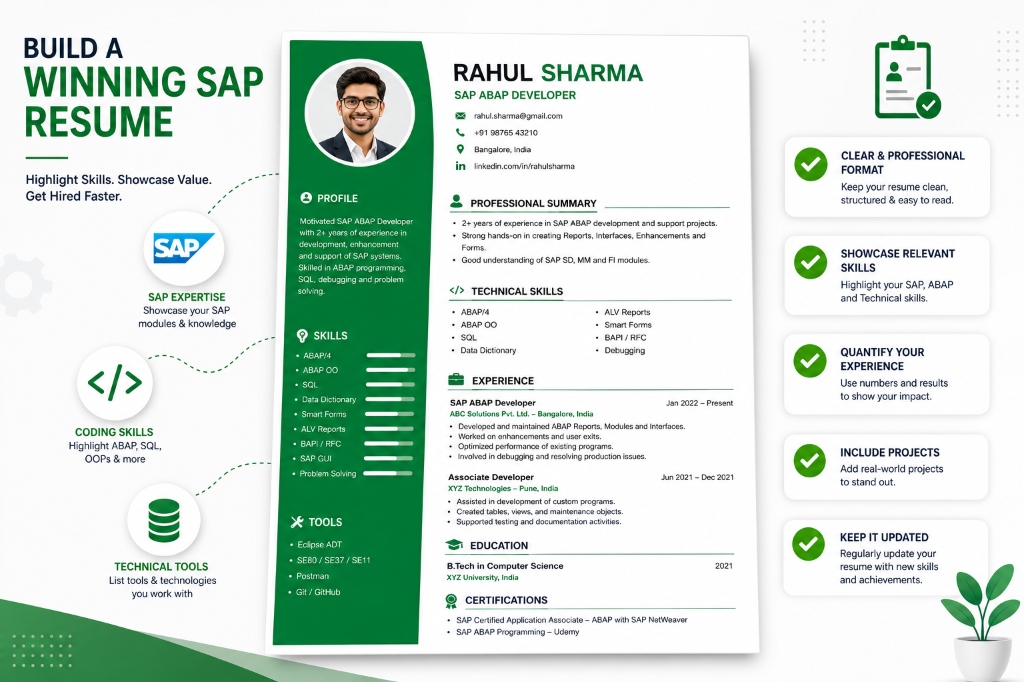
- Highlight Certification: State if you have completed the SAP Certified Associate exam.
- Showcase Self-Practice Projects: Describe custom programs you built (e.g., “Developed custom ALV billing report using join conditions”).
- List Key T-Codes & Concepts: List specific skills (SE11 table creation, debugging with
/H, IDoc monitoring) rather than generic phrases. - Avoid Generalizations: Do not just write “Knowledge of SAP.” Use specific technical terms that match developer search queries.
Where to Apply for ABAP Newcomer Jobs
- Global IT service providers: Apply to TCS, Wipro, Infosys, Tech Mahindra, HCL, Accenture, Capgemini, and IBM. These firms run large SAP practices and hire thousands of freshers annually.
- Mid-Size Consulting Partners: Search for boutique SAP consulting partners in your region. They often provide faster project exposure and hands-on responsibilities.
- Online Job Portals: Monitor Naukri.com and LinkedIn. Set search alerts for keywords like
"SAP ABAP fresher","ABAP trainee", or"Junior ABAP developer". - LinkedIn Referrals: Connect with active SAP consultants. Introduce yourself, share screenshots of your practice configuration work, and ask if their companies have junior referral openings.
What Interviewers Test ABAP Newcomers On
Prepare thoroughly for these standard interview stages:
- Conceptual Round:
- Differences between Data Elements and Domains.
- Internal table types (Standard vs. Sorted vs. Hashed).
- What are BAPIs, IDocs, and RFCs?
- Differences between BADIs and User Exits.
- Practical / Coding Round:
- Writing SELECT queries with INNER JOINs.
- Modifying records inside loops (using
MODIFYorFIELD-SYMBOLS). - Explaining how to set breakpoints and debug code.
- Managerial Round:
- Soft skills, logical thinking, teamwork scenarios, and willingness to learn.
Realistic Timeline to Your First ABAP Job
Consistently practicing 2-3 hours daily will prepare you for interviews:
| Month | Focus Area |
|---|---|
| Month 1 | SAP basics, navigation, and SE11 Dictionary configurations. |
| Months 2 – 3 | Core ABAP coding syntax, internal tables, and Open SQL queries. |
| Month 4 | Modularization, function modules, and ALV report designs. |
| Month 5 | Screen designs (Dialog programming) and Enhancements (BADIs/Exits). |
| Month 6 | BAPIs, IDoc monitoring concepts, and OOP ABAP fundamentals. |
| Months 7 – 9 | Resume building, active applications, referrals, and technical interviews. |
One Last Thing Before You Start
Here is a simple truth: SAP ABAP rewards patience and consistent practice more than raw coding speed.
You do not need to be a coding genius to succeed in SAP ABAP. You need to be consistent, detail-oriented, and willing to practice on SAP screens instead of just watching video lectures. Developers who practice daily, document their work, and learn the business logic behind their code build successful, rewarding careers.
Start small. One transaction code, one program, and one concept at a time.
Bookmark this blog, and if you have questions, drop them in the comments below. Happy learning!
— Daksh

Written by Daksh Dedha
SAP Technical ConsultantDaksh is an SAP Technical Consultant specializing in ABAP programming, SAP S/4HANA migrations, Fiori development, and BTP cloud architecture. He authors free, hands-on tutorials to make enterprise SAP education accessible to all developers.
Test Your Knowledge
Loading question...
Quiz Completed
Related Tutorials
SAP ABAP Enhancement Framework — User Exits, BADIs, and Enhancement Points
Master SAP ABAP enhancements. Learn User Exits, Customer Exits, BADIs, Enhancement Points, and Implicit/Explicit Enhancement Spots to modify standard SAP without modifying source code.
ABAP ProgrammingABAP CDS Views — Core Data Services Complete Guide for Beginners
Learn ABAP CDS Views from scratch. Understand how to create CDS views in Eclipse ADT, use annotations, associations, parameters, and build OData services with CDS.
ABAP ProgrammingMessage Handling in SAP ABAP — Complete SE91 Message Classes Guide
Master SAP ABAP message handling. Learn how to create message classes in transaction SE91, use the MESSAGE statement, handle error types A E W I S X, and pass placeholders.
Found this tutorial useful? Share it with your SAP development team.