
CASE Statement in ABAP: A Practical Guide for Beginners
Table of Contents
- • What is a CASE Statement?
- • Why Use CASE Instead of IF ELSE?
- • Basic Syntax of CASE
- • Standalone Department Code Example
- • CASE statement with Performance Grades
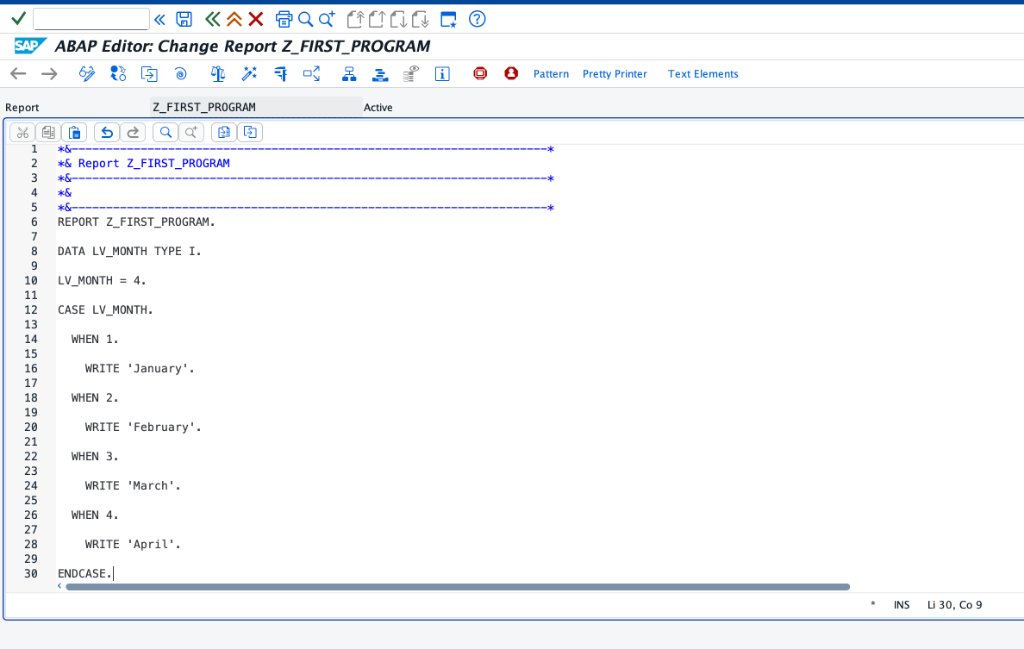
- • CASE Statement with Calendar Month Example
- ↳ Month Evaluation Code in ABAP Editor:
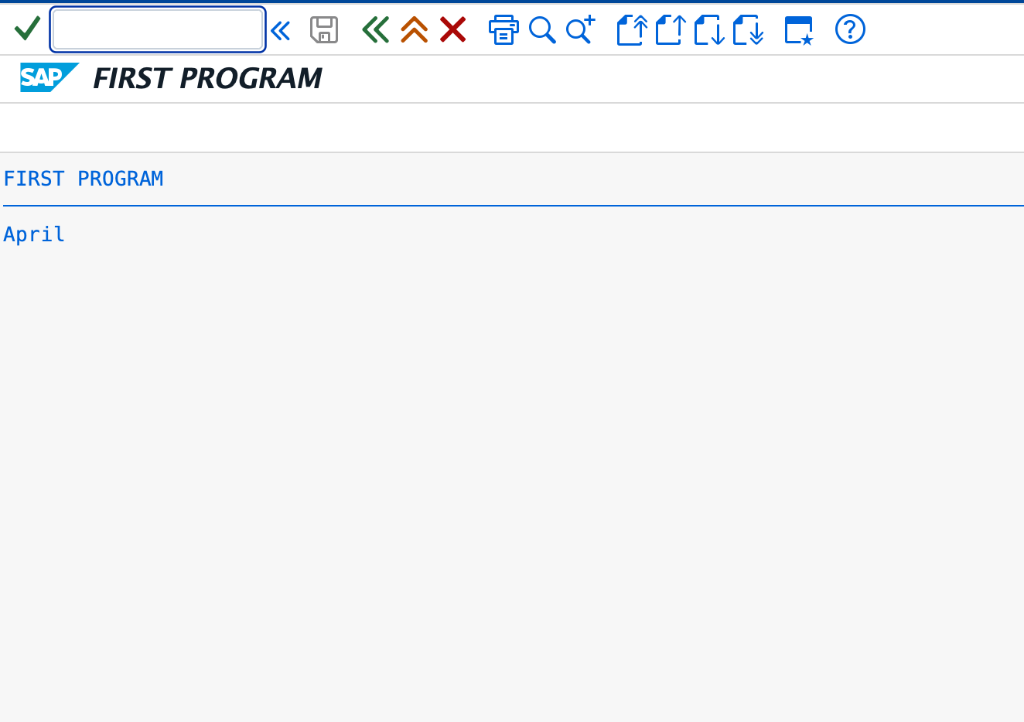
- ↳ Execution Output:
- • Grouping Multiple Values in a Single WHEN
- • CASE vs IF ELSE: When to Use Which?
- ↳ Use CASE When:
- ↳ Use IF ELSE When:
- • Self-Assessment Checkpoint
- • Summary of Best Practices
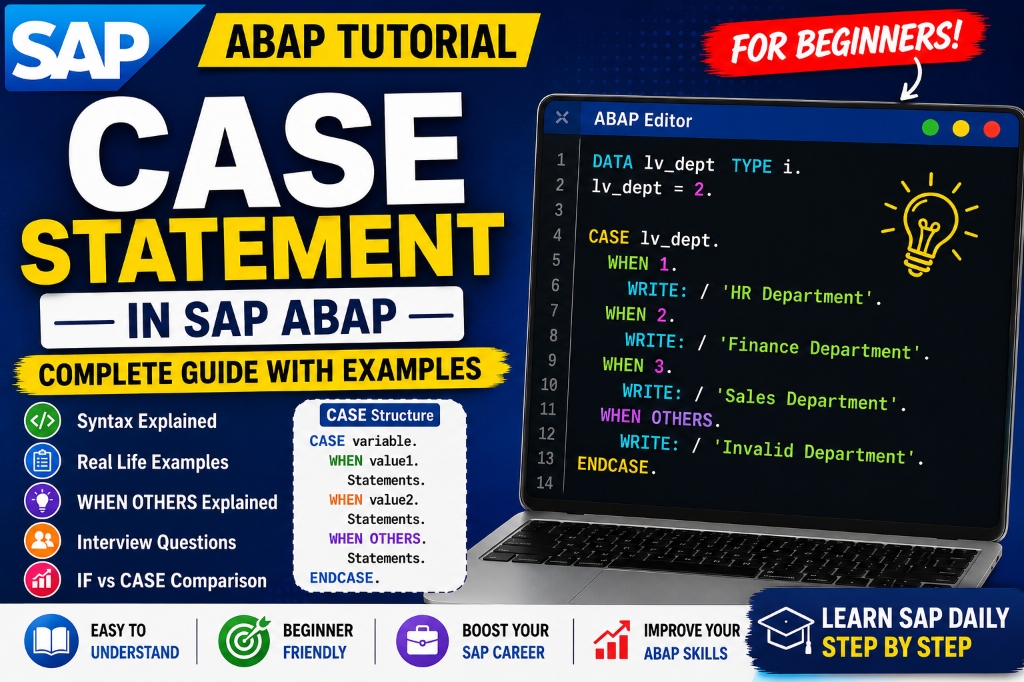
While learning ABAP development, you will frequently write logic where your program must choose a single action from several options. While a standard IF-ELSE block works perfectly for evaluating one or two conditions, it becomes hard to read, maintain, and debug when handling a large number of possibilities.
This is where the CASE statement becomes useful.
Instead of writing long chains of IF-ELSEIF-ELSE blocks, ABAP developers rely on CASE structures to evaluate multiple options cleanly. This approach makes your code highly readable, easier to test, and professional.
What is a CASE Statement?
The CASE statement is a control structure that enables an ABAP program to execute different branches of code based on the exact value of a single variable.
Think of it like a digital menu:
- The user selects a specific option.
- The program directly routes the execution path to the matching menu item.
- The matching code runs, and the program exits the menu.
Rather than checking multiple conditions one by one, CASE compares your input directly against several candidate values, streamlining program execution.
Why Use CASE Instead of IF ELSE?
Imagine you are building a human resource dashboard and need to display department labels based on numeric IDs:
1= HR2= Finance3= Sales4= IT
If you write this using IF-ELSEIF, your logic looks like this:
IF lv_dept = 1.
  WRITE 'HR'.
ELSEIF lv_dept = 2.
  WRITE 'Finance'.
ELSEIF lv_dept = 3.
  WRITE 'Sales'.
ELSEIF lv_dept = 4.
  WRITE 'IT'.
ENDIF.
While functional, this structure gets verbose. A CASE structure provides a cleaner alternative that is easier to expand in the future when your business scenarios grow.
Basic Syntax of CASE
The syntax for a standard CASE block is:
CASE variable.
  WHEN value1.
    " Statements for value1
  WHEN value2.
    " Statements for value2
  WHEN value3.
    " Statements for value3
  WHEN OTHERS.
    " Default fallback statements
ENDCASE.
How it works:
- The control variable is evaluated first.
- The system checks each
WHENclause in order. - As soon as a match is found, the system runs the corresponding statements and jumps directly to
ENDCASE. - If no match is found, the
WHEN OTHERSblock runs.
Standalone Department Code Example
Let’s look at a complete standalone program utilizing the department selection scenario:
REPORT z_case_department_demo.

DATA lv_dept_id TYPE i.
lv_dept_id = 2.

CASE lv_dept_id.
  WHEN 1.
    WRITE 'HR Department'.
  WHEN 2.
    WRITE 'Finance Department'.
  WHEN 3.
    WRITE 'Sales Department'.
  WHEN 4.
    WRITE 'IT Department'.
  WHEN OTHERS.
    WRITE 'Invalid Department ID'.
ENDCASE.
Output:
Finance DepartmentSince lv_dept_id is set to 2, the system executes only the statements in the second WHEN block.
CASE statement with Performance Grades
Here is another common scenario in HR systems to evaluate employee performance rating letters:
REPORT z_case_performance_grades.

DATA lv_grade TYPE c.
lv_grade = 'A'.

CASE lv_grade.
  WHEN 'A'.
    WRITE 'Outstanding Performance'.
  WHEN 'B'.
    WRITE 'Excellent Performance'.
  WHEN 'C'.
    WRITE 'Good Performance'.
  WHEN 'D'.
    WRITE 'Needs Improvement'.
  WHEN OTHERS.
    WRITE 'Invalid Grade Input'.
ENDCASE.
Output:
Outstanding PerformanceCASE Statement with Calendar Month Example
Here is a practical example evaluating calendar month numbers to display their names:
REPORT z_case_month_demo.

DATA lv_month TYPE i.
lv_month = 4.

CASE lv_month.
  WHEN 1.
    WRITE 'January'.
  WHEN 2.
    WRITE 'February'.
  WHEN 3.
    WRITE 'March'.
  WHEN 4.
    WRITE 'April'.
ENDCASE.
Month Evaluation Code in ABAP Editor:
Execution Output:
Grouping Multiple Values in a Single WHEN
One of the best shorthand capabilities of CASE is the ability to group multiple matching values under a single WHEN branch using the OR operator. This helps prevent code duplication:
REPORT z_case_group_demo.

DATA lv_char TYPE c VALUE 'E'.

CASE lv_char.
  WHEN 'A' OR 'E' OR 'I' OR 'O' OR 'U'.
    WRITE 'Vowel'.
  WHEN OTHERS.
    WRITE 'Consonant'.
ENDCASE.
Output:
VowelCASE vs IF ELSE: When to Use Which?
Choosing the right control block keeps your SAP developments optimized and easy for others to read.
Use CASE When:
- You are checking the value of a single variable or expression.
- The variable is being compared against fixed, discrete values (numbers, characters, or string constants).
- Examples: status codes, user selections, transaction types.
Use IF ELSE When:
- You are comparing multiple different variables in the same check.
- You are evaluating ranges, intervals, or inequalities (e.g.
salary > 50000orage >= 18). - Examples: financial calculations, complex validation constraints.
Self-Assessment Checkpoint
💡 **What is the purpose of the WHEN OTHERS statement?**
WHEN OTHERS acts as a default fallback handler. If the control variable does not match any of the preceding WHEN constants, the code block inside WHEN OTHERS is executed, preventing unhandled exceptions.
💡 **Can you write logical range comparisons (like variable > 10) inside a WHEN statement?**
No. WHEN clauses only support matching against discrete values or groupings of constants separated by OR. For relational range checks (like >= or <), you must use an IF-ELSE or ELSEIF block instead.
Summary of Best Practices
- Always Include WHEN OTHERS: Always define a default fallback block to capture unexpected or corrupt system data.
- Keep Code Modular: If a
WHENblock requires complex logic, wrap it inside a helper subprogram or method call rather than writing hundreds of lines directly inside theCASEstructure. - Use Meaningful Constant Names: Instead of hardcoding letters or numbers directly (e.g.
'N'), define constant variables at the top of your program (e.g.co_status_new = 'N') to improve readability.

Written by Daksh Dedha
SAP Technical ConsultantDaksh is an SAP Technical Consultant specializing in ABAP programming, SAP S/4HANA migrations, Fiori development, and BTP cloud architecture. He authors free, hands-on tutorials to make enterprise SAP education accessible to all developers.
Test Your Knowledge
Loading question...
Quiz Completed
Related Tutorials
SAP ABAP Enhancement Framework — User Exits, BADIs, and Enhancement Points
Master SAP ABAP enhancements. Learn User Exits, Customer Exits, BADIs, Enhancement Points, and Implicit/Explicit Enhancement Spots to modify standard SAP without modifying source code.
ABAP ProgrammingABAP CDS Views — Core Data Services Complete Guide for Beginners
Learn ABAP CDS Views from scratch. Understand how to create CDS views in Eclipse ADT, use annotations, associations, parameters, and build OData services with CDS.
ABAP ProgrammingMessage Handling in SAP ABAP — Complete SE91 Message Classes Guide
Master SAP ABAP message handling. Learn how to create message classes in transaction SE91, use the MESSAGE statement, handle error types A E W I S X, and pass placeholders.
Found this tutorial useful? Share it with your SAP development team.