
IF ELSE Statement in ABAP with Examples | Complete Beginner Guide
Table of Contents
- • Understanding Conditional Logic
- • Basic Syntax of IF ELSE
- • Your First IF ELSE Example
- ↳ Output:
- • Practical Examples
- ↳ 1. Evaluating Salary Bonuses
- ↳ Output:
- ↳ 2. Validating User Input with PARAMETERS
- • Handling Multiple Outcomes (ELSEIF)
- ↳ Output:
- • Comparing Text Values
- ↳ Output:
- • Comparison Operators in ABAP
- ↳ Example:
- • Combining Multiple Conditions
- ↳ 1. The AND Operator (All Conditions Must Match)
- ↳ Output:
- ↳ 2. The OR Operator (At Least One Condition Must Match)
- ↳ Output:
- • Practical Business Scenario: Order Discounts
- • Interactive Checkpoints
- • Common Mistakes Beginners Make
- ↳ 1. Forgetting ENDIF
- ↳ 2. Deeply Nested Conditions
- ↳ 3. Case Sensitivity in Text Comparisons
- • Conclusion
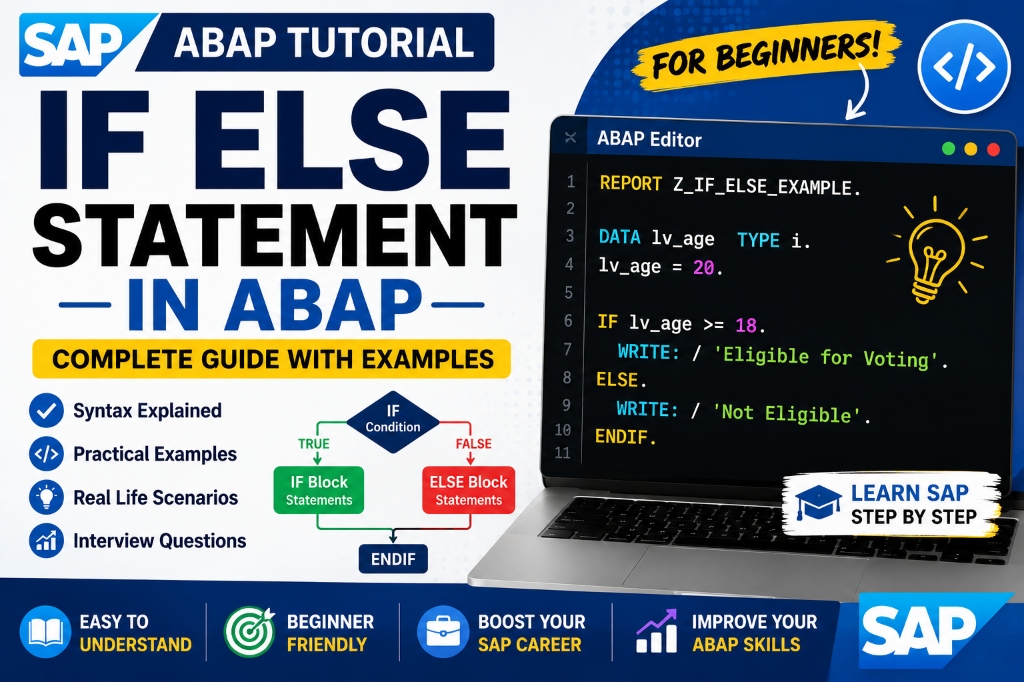
When learning SAP development, you will quickly reach a point where your programs need to make decisions. Whether determining if an employee qualifies for a bonus, checking if a customer is eligible for a discount, or blocking a transaction due to failed validations, decision-making logic is a fundamental requirement.
In ABAP, IF ELSE is the primary statement used to control program flow based on conditions. Although the syntax is straightforward, you will find it in almost every report, transaction, database validation, and user enhancement you build.
Understanding Conditional Logic
To understand how conditions work, think of a standard banking transaction.
When a customer attempts to withdraw cash, the system checks a single condition: Is the account balance greater than or equal to the requested withdrawal amount?
- If yes: The bank processes the withdrawal.
- If no: The system blocks the transaction and displays an insufficient funds message.
Programs assess variables in the same way, executing specific branches of code depending on whether a condition resolves to true or false.
Basic Syntax of IF ELSE
The basic structure of an IF statement is:
IF condition.
  " Statements executed when condition is true
ELSE.
  " Statements executed when condition is false
ENDIF.
Every IF block must end with the ENDIF keyword. The ELSE block is optional and is only used if you want to run alternative statements when the condition fails.
Your First IF ELSE Example
Let’s look at a simple standalone program that evaluates a test score:
REPORT z_if_else_demo.

DATA lv_marks TYPE i.
lv_marks = 75.

IF lv_marks >= 35.
  WRITE 'Pass'.
ELSE.
  WRITE 'Fail'.
ENDIF.
Output:
PassSince the variable lv_marks holds the value 75 (which is greater than or equal to 35), the condition resolves to true, and the program prints ‘Pass’.
Practical Examples
1. Evaluating Salary Bonuses
Conditional validation is heavily used in HR and payroll applications. This program determines bonus eligibility based on salary thresholds:
REPORT z_salary_check.

DATA lv_salary TYPE i.
lv_salary = 60000.

IF lv_salary > 50000.
  WRITE 'Bonus Eligible'.
ELSE.
  WRITE 'Bonus Not Eligible'.
ENDIF.
Output:
Bonus Eligible2. Validating User Input with PARAMETERS
To make reports interactive, we can capture inputs directly from selection screens using the PARAMETERS statement and evaluate them:
REPORT z_age_check.

PARAMETERS p_age TYPE i.

IF p_age >= 18.
  WRITE 'Eligible to Proceed'.
ELSE.
  WRITE 'Not Eligible (Underage)'.
ENDIF.
When you execute this program, SAP displays an input field. If you enter 22, the output is:
Eligible to ProceedHandling Multiple Outcomes (ELSEIF)
In many business scenarios, you need to check more than two possibilities. You can chain multiple conditions using the ELSEIF statement:
REPORT z_grade_calculator.

DATA lv_score TYPE i.
lv_score = 82.

IF lv_score >= 90.
  WRITE 'Grade: A+'.
ELSEIF lv_score >= 80.
  WRITE 'Grade: A'.
ELSEIF lv_score >= 70.
  WRITE 'Grade: B'.
ELSE.
  WRITE 'Grade: C'.
ENDIF.
Output:
Grade: AThe system checks each condition sequentially from top to bottom. As soon as one condition evaluates to true, SAP executes its statements and jumps directly past ENDIF.
Comparing Text Values
Conditional logic works with character strings and text variables just as easily as with numeric types:
REPORT z_text_comparison.

DATA lv_department TYPE string.
lv_department = 'IT'.

IF lv_department = 'IT'.
  WRITE 'Technical Team'.
ELSE.
  WRITE 'Non-Technical Team'.
ENDIF.
Output:
Technical TeamComparison Operators in ABAP
ABAP supports two types of comparison operators: standard symbols and character-based operators. You can use either format in your programs:
| Operation | Symbolic Operator | Character-based Operator |
|---|---|---|
| Equal To | = | EQ |
| Not Equal To | <> | NE |
| Greater Than | > | GT |
| Less Than | < | LT |
| Greater Than or Equal To | >= | GE |
| Less Than or Equal To | <= | LE |
Example:
IF lv_num = 10.   " Equivalent to: IF lv_num EQ 10.
IF lv_num <> 10.  " Equivalent to: IF lv_num NE 10.
Combining Multiple Conditions
1. The AND Operator (All Conditions Must Match)
Use AND when every checked expression must be true to execute the code block:
REPORT z_and_operator_demo.

DATA: lv_age        TYPE i,
      lv_experience TYPE i.

lv_age = 25.
lv_experience = 3.

IF lv_age >= 21 AND lv_experience >= 2.
  WRITE 'Candidate is Eligible'.
ELSE.
  WRITE 'Candidate does not meet requirements'.
ENDIF.
Output:
Candidate is Eligible2. The OR Operator (At Least One Condition Must Match)
Use OR when at least one matching expression is enough to trigger the block:
REPORT z_or_operator_demo.

DATA lv_city TYPE string.
lv_city = 'Delhi'.

IF lv_city = 'Delhi' OR lv_city = 'Mumbai'.
  WRITE 'Metro City Operations'.
ENDIF.
Output:
Metro City OperationsPractical Business Scenario: Order Discounts
Imagine you are configuring rules for the Sales and Distribution (SD) module. The company wants to calculate discounts based on the order value:
- Orders above 50,000 ➔ 15% Discount
- Orders above 25,000 ➔ 10% Discount
- Orders above 10,000 ➔ 5% Discount
- Otherwise ➔ No Discount
Here is how you implement this pricing rule in ABAP:
REPORT z_calculate_discount.

PARAMETERS p_value TYPE p DECIMALS 2.
DATA lv_discount TYPE p DECIMALS 2.

IF p_value > 50000.
  lv_discount = p_value * '0.15'.
ELSEIF p_value > 25000.
  lv_discount = p_value * '0.10'.
ELSEIF p_value > 10000.
  lv_discount = p_value * '0.05'.
ELSE.
  lv_discount = 0.
ENDIF.

WRITE: 'Total Value:', p_value,
     / 'Discount   :', lv_discount.
Interactive Checkpoints
Review these self-assessment cards to test your knowledge:
🙋♂️ Checkpoint 1: What is the difference between ELSE and ELSEIF?
🙋♂️ Checkpoint 2: Can you mix character-based (EQ, NE) and symbolic (=, <>) operators in the same program?
🙋♂️ Checkpoint 3: Why is ENDIF required in ABAP?
Common Mistakes Beginners Make
1. Forgetting ENDIF
Every IF block must be terminated. Leaving it out results in immediate syntax errors.
- Incorrect:
IF lv_age >= 18. WRITE 'Adult'. - Correct:
IF lv_age >= 18.
  WRITE 'Adult'.
ENDIF.
2. Deeply Nested Conditions
Nesting IF statements inside other IF statements too deeply makes code difficult to trace and debug.
- Tip: Use
AND/ORoperators or structural checks to flatten nested conditions.
3. Case Sensitivity in Text Comparisons
Standard string checks are case-sensitive. Comparing 'IT' with 'it' will fail.
- Tip: Convert variables to uppercase using
TRANSLATEor use comparison functions if you need case-insensitive evaluations.
Conclusion
Conditional logic is the foundation of clean, dynamic software. Master standard comparison operations, keep your branch checks organized, and you will be fully prepared to handle advanced conditional rules and database validations in your SAP career.

Written by Daksh Dedha
SAP Technical ConsultantDaksh is an SAP Technical Consultant specializing in ABAP programming, SAP S/4HANA migrations, Fiori development, and BTP cloud architecture. He authors free, hands-on tutorials to make enterprise SAP education accessible to all developers.
Test Your Knowledge
Loading question...
Quiz Completed
Related Tutorials
SAP ABAP Enhancement Framework — User Exits, BADIs, and Enhancement Points
Master SAP ABAP enhancements. Learn User Exits, Customer Exits, BADIs, Enhancement Points, and Implicit/Explicit Enhancement Spots to modify standard SAP without modifying source code.
ABAP ProgrammingABAP CDS Views — Core Data Services Complete Guide for Beginners
Learn ABAP CDS Views from scratch. Understand how to create CDS views in Eclipse ADT, use annotations, associations, parameters, and build OData services with CDS.
ABAP ProgrammingMessage Handling in SAP ABAP — Complete SE91 Message Classes Guide
Master SAP ABAP message handling. Learn how to create message classes in transaction SE91, use the MESSAGE statement, handle error types A E W I S X, and pass placeholders.
Found this tutorial useful? Share it with your SAP development team.