
WHILE Loop in ABAP: Complete Beginner Guide with Practical Examples
Table of Contents
- • What is a WHILE Loop in ABAP?
- • Why Do We Need a WHILE Loop?
- • Basic Syntax
- • First WHILE Loop Program
- ↳ First WHILE Loop Code in ABAP Editor:
- ↳ Program Execution Output:
- • Understanding Loop Execution
- • Example: Displaying Numbers from 1 to 10
- • Example: Display Even Numbers
- ↳ Even Numbers Loop Code in ABAP Editor:
- ↳ Program Execution Output:
- • Example: Multiplication Table
- • The Danger of Infinite WHILE Loops
- ↳ Example of an Infinite Loop:
- ↳ Correct Version:
- • Controlling Loop Execution (EXIT, CONTINUE, CHECK)
- ↳ 1. The EXIT Statement
- ↳ 2. The CONTINUE Statement
- ↳ 3. The CHECK Statement
- • Nested WHILE Loops
- • Real Business Example
- • Difference Between DO Loop and WHILE Loop
- ↳ Quick Comparison Table
- • Self-Assessment Checkpoint
- • Common Mistakes to Avoid
- • Interview Practice Questions
- • Career Perspective
- • Summary
When learning SAP ABAP programming, loops are among the most important concepts to understand. They allow developers to execute a set of statements repeatedly without writing the same code multiple times.
In previous lessons, many beginners learn the DO Loop first because it executes a fixed number of times. However, in real business scenarios, developers often do not know beforehand how many iterations will be required. In such situations, the WHILE Loop becomes extremely useful.
The WHILE Loop continues executing as long as a specified condition remains true. Once the condition becomes false, the loop automatically stops.
Whether you are taking a SAP ABAP course, preparing for SAP ABAP certification, following a SAP ABAP tutorial, or practicing SAP ABAP interview questions, understanding the WHILE Loop is essential because it is widely used in report development, data processing, and enterprise applications.
This guide explains everything about the WHILE Loop in simple language with practical examples that beginners can easily understand.
What is a WHILE Loop in ABAP?
A WHILE Loop is a control structure that repeatedly executes a block of statements as long as a specified logical condition remains true.
Unlike the DO Loop, which runs a fixed number of times, the WHILE Loop depends entirely on a condition. The moment the condition becomes false, the loop stops automatically and the program continues with the code block following the loop.
Why Do We Need a WHILE Loop?
Imagine you want to print numbers from 1 to 10. You could easily use a DO Loop because you already know the exact number of iterations (10 times).
However, what if the stopping point depends on dynamic user input, changing database states, or business validations? In such situations, the number of iterations is unknown at design time. A WHILE Loop provides the flexibility needed to handle these dynamic runtime scenarios.
Basic Syntax
The syntax for a standard WHILE loop is simple and clean:
WHILE condition.
  " Statements to be executed repeatedly
ENDWHILE.WHILE: Keyword that starts the loop and evaluates the condition.condition: Any logical expression (e.g.,lv_num <= 5orlv_status = 'PENDING').Statements: The lines of code that execute if the condition evaluates to true.ENDWHILE: Keyword that marks the end of the loop block.
First WHILE Loop Program
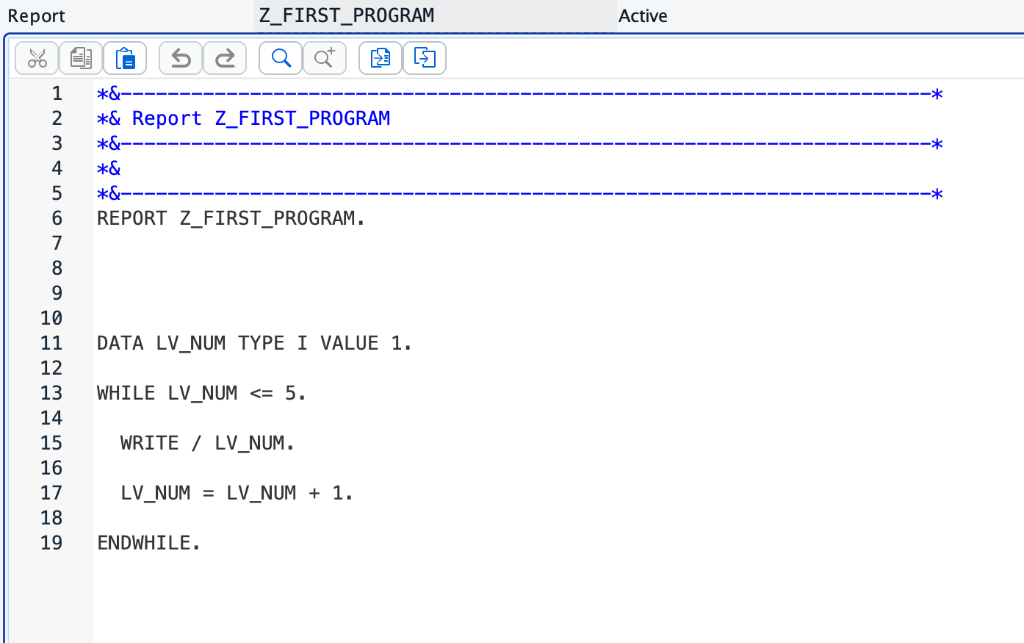
Let’s look at a complete standalone program printing numbers from 1 to 5:
REPORT z_while_loop.

DATA lv_num TYPE i VALUE 1.

WHILE lv_num <= 5.
  WRITE / lv_num.
  lv_num = lv_num + 1.
ENDWHILE.
First WHILE Loop Code in ABAP Editor:
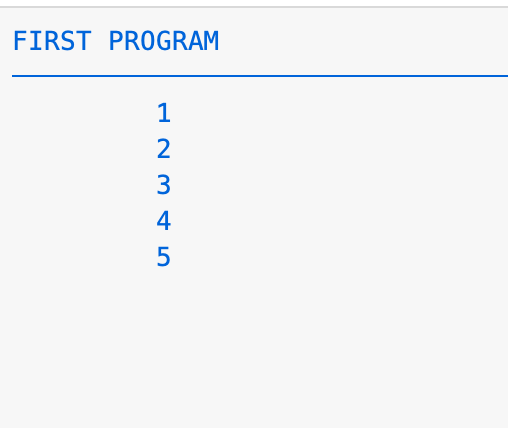
Program Execution Output:
Understanding Loop Execution
Let’s break down step-by-step how the previous program executes:
- Initialization: The variable
lv_numis set to1. - First Pass:
- The loop checks the condition
lv_num <= 5($1 \le 5$), which evaluates to TRUE. - The system prints
1and incrementslv_numto2.
- The loop checks the condition
- Second Pass:
- The condition
lv_num <= 5($2 \le 5$) is TRUE. - Prints
2and incrementslv_numto3.
- The condition
- Subsequent Passes:
- Repeats for
3,4, and5.
- Repeats for
- Termination:
- After printing
5,lv_numis incremented to6. - The condition
lv_num <= 5($6 \le 5$) evaluates to FALSE. - The loop stops instantly, and program control exits the
ENDWHILEblock.
- After printing
Example: Displaying Numbers from 1 to 10
Here is a simple program displaying a wider range of sequential numbers:
REPORT z_numbers.

DATA lv_num TYPE i VALUE 1.

WHILE lv_num <= 10.
  WRITE / lv_num.
  lv_num = lv_num + 1.
ENDWHILE.
Output:
1
2
3
4
5
6
7
8
9
10
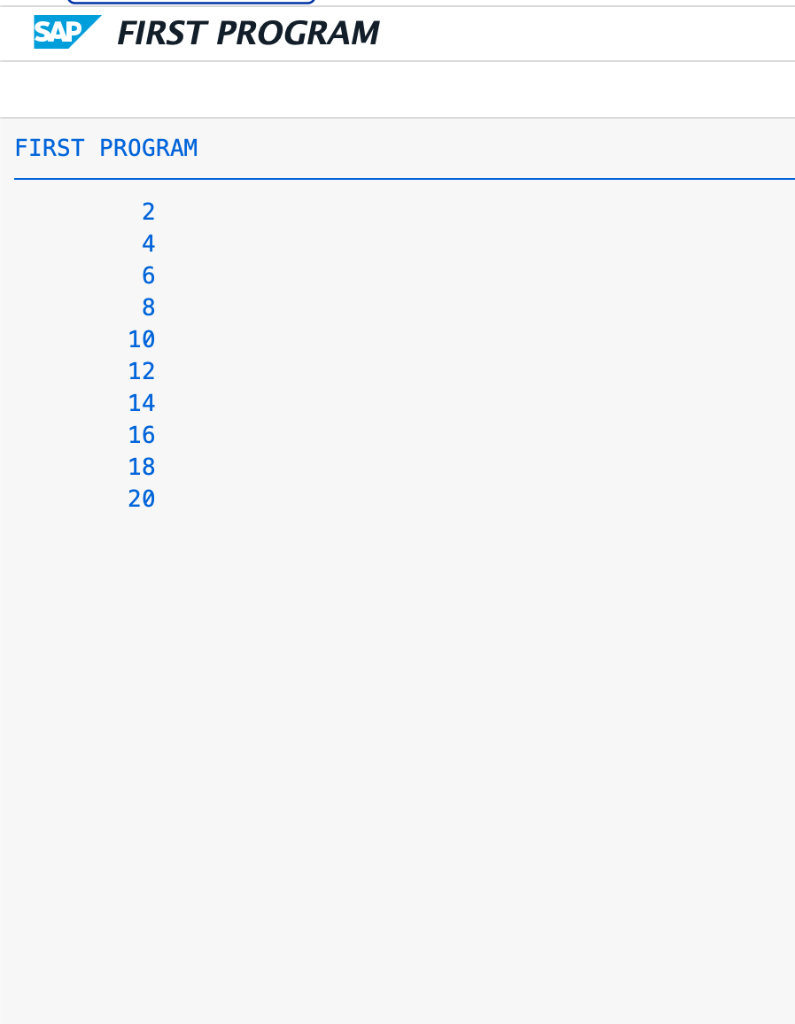
Example: Display Even Numbers
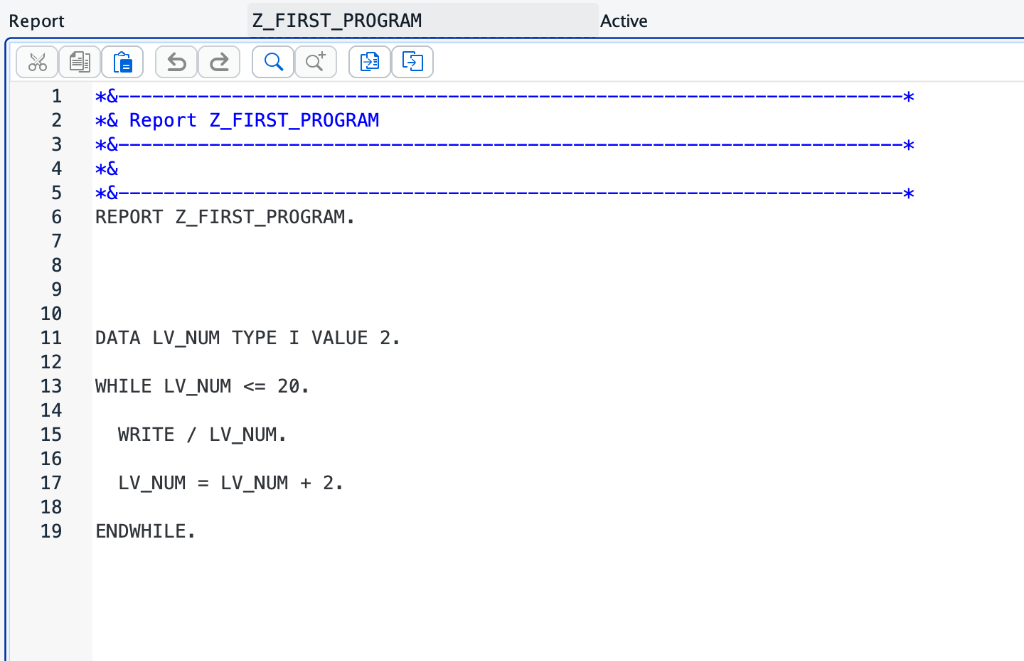
Here is a practical scenario showing how to loop and print even numbers from 2 to 20:
REPORT z_even.

DATA lv_num TYPE i VALUE 2.

WHILE lv_num <= 20.
  WRITE / lv_num.
  lv_num = lv_num + 2.
ENDWHILE.
Even Numbers Loop Code in ABAP Editor:
Program Execution Output:
Example: Multiplication Table
You can combine loops and calculations to generate dynamic mathematical tables:
REPORT z_table.

DATA: lv_num TYPE i VALUE 5,
      lv_cnt TYPE i VALUE 1.

WHILE lv_cnt <= 10.
  WRITE: / lv_num, ' X ', lv_cnt, ' = ', lv_num * lv_cnt.
  lv_cnt = lv_cnt + 1.
ENDWHILE.
Output:
5  X  1  =  5
5  X  2  =  10
5  X  3  =  15
...
5  X  10  =  50
The Danger of Infinite WHILE Loops
One of the most common mistakes beginners make is creating an Infinite Loop. This happens when the loop condition always remains true, locking system resources and causing runtime timeout errors.
Example of an Infinite Loop:
DATA lv_num TYPE i VALUE 1.

WHILE lv_num <= 10.
  WRITE / lv_num.
  " Variable is never updated! Condition is always true.
ENDWHILE.
Since the variable lv_num remains 1 forever, the condition 1 <= 10 is always satisfied.
Correct Version:
DATA lv_num TYPE i VALUE 1.

WHILE lv_num <= 10.
  WRITE / lv_num.
  lv_num = lv_num + 1. " Increments the variable to terminate loop
ENDWHILE.
[!IMPORTANT] Always ensure the variables used within the logical condition are updated inside the loop body so the condition eventually evaluates to false.
Controlling Loop Execution (EXIT, CONTINUE, CHECK)
ABAP provides three statements to modify the flow of your WHILE loops:
1. The EXIT Statement
The EXIT statement terminates the entire loop execution instantly. The program stops iterating and jumps to the code block following the ENDWHILE.
DATA lv_num TYPE i VALUE 1.

WHILE lv_num <= 10.
  IF lv_num = 5.
    EXIT.
  ENDIF.
  WRITE / lv_num.
  lv_num = lv_num + 1.
ENDWHILE.
Output:
1
2
3
4
(The loop exits as soon as the index reaches 5).
2. The CONTINUE Statement
The CONTINUE statement skips the remaining statements in the current iteration and jumps back to the top of the loop to evaluate the condition for the next run.
DATA lv_num TYPE i VALUE 0.

WHILE lv_num < 5.
  lv_num = lv_num + 1.
  IF lv_num = 3.
    CONTINUE.
  ENDIF.
  WRITE / lv_num.
ENDWHILE.
Output:
1
2
4
5
(The value 3 is skipped).
3. The CHECK Statement
The CHECK statement evaluates a logical condition. If true, execution continues. If false, it skips the rest of the current iteration (acting like CONTINUE).
DATA lv_num TYPE i VALUE 0.

WHILE lv_num < 10.
  lv_num = lv_num + 1.
  CHECK lv_num MOD 2 = 0.
  WRITE / lv_num.
ENDWHILE.
Output:
2
4
6
8
10
Nested WHILE Loops
You can write loops inside other loops (nested loops) to process grid tables or multi-dimensional data models.
REPORT z_nested_loops.

DATA: lv_outer TYPE i VALUE 1,
      lv_inner TYPE i.

WHILE lv_outer <= 3.
  WRITE: / 'Outer Loop:', lv_outer.
  lv_inner = 1.

  WHILE lv_inner <= 2.
    WRITE: / '  Inner Loop:', lv_inner.
    lv_inner = lv_inner + 1.
  ENDWHILE.

  lv_outer = lv_outer + 1.
ENDWHILE.
Output:
Outer Loop: 1
  Inner Loop: 1
  Inner Loop: 2
Outer Loop: 2
  Inner Loop: 1
  Inner Loop: 2
Outer Loop: 3
  Inner Loop: 1
  Inner Loop: 2
Real Business Example
In a real enterprise environment, WHILE loops are commonly used to generate sequential business document numbers or process arrays. Suppose we need to print invoice series numbers dynamically:
REPORT z_invoice_generator.

DATA lv_invoice TYPE i VALUE 1000.

WHILE lv_invoice <= 1010.
  WRITE: / 'Invoice Number:', lv_invoice.
  lv_invoice = lv_invoice + 1.
ENDWHILE.
Output:
Invoice Number: 1000
Invoice Number: 1001
Invoice Number: 1002
...
Invoice Number: 1010
Difference Between DO Loop and WHILE Loop
Understanding when to choose which loop helps you write clean and performant programs:
- DO Loop: Best suited when you know the exact number of times the code must execute before the loop begins.
- WHILE Loop: Best suited when execution depends on a conditional logic check that can change dynamically during runtime.
Quick Comparison Table
| Feature | DO Loop | WHILE Loop |
|---|---|---|
| Control Principle | Runs a fixed number of iterations | Runs until a logical condition becomes false |
| Variable Counter | Automatically increments SY-INDEX | Requires manual variable updates |
| Flexibility | Rigid execution count | Dynamic runtime checks |
| Best Used For | Pre-determined repetitions (e.g., printing 10 lines) | Unknown repetitions (e.g., processing records until empty) |
Self-Assessment Checkpoint
💡 **What happens if the WHILE condition evaluates to FALSE on the very first check?**
If the condition is FALSE at the beginning, the statements inside the WHILE...ENDWHILE block will be skipped completely. The program will proceed to run the code directly below the ENDWHILE statement.
💡 **How is SY-INDEX updated in a WHILE loop compared to a DO loop?**
Unlike DO loops, SY-INDEX is not automatically updated by a WHILE loop. If you need a loop index inside a WHILE structure, you must declare and increment your own custom counter variable (e.g., lv_counter = lv_counter + 1).
Common Mistakes to Avoid
- Missing ENDWHILE: Forgetting to add the closing
ENDWHILEkeyword will prevent compile compilation. - Infinite Execution: Forgetting to update the conditional variable inside the loop body.
- Over-Nesting: Avoid nesting loops more than 2-3 levels deep as it severely impacts application performance and readability.
Interview Practice Questions
- What is a WHILE loop in ABAP?
- Answer: A loop structure that executes statements repeatedly as long as a condition evaluates to true.
- What is the difference between a DO loop and a WHILE loop?
- Answer: A DO loop executes a fixed number of times using an automatic
SY-INDEXcounter. A WHILE loop executes dynamically based on logical expressions and doesn’t updateSY-INDEXautomatically.
- Answer: A DO loop executes a fixed number of times using an automatic
- How do you exit a WHILE loop early?
- Answer: By using the
EXITstatement inside the loop block.
- Answer: By using the
Career Perspective
Many companies hiring for SAP ABAP fresher jobs ask questions about looping structures because they test logical thinking and programming fundamentals. Candidates preparing for SAP ABAP developer jobs should understand:
DOLoopWHILELoopLOOP ATEXIT,CONTINUE, andCHECKstatements
These concepts are used extensively in SAP ABAP HANA projects, SAP ABAP RAP development, custom reports, SAP ABAP ALV Reports, and enterprise applications. Strong knowledge of loops helps developers write efficient and maintainable code.
Summary
The WHILE Loop is one of the most useful looping structures available in SAP ABAP. Unlike the DO Loop, it provides flexibility by executing statements based on a condition rather than a fixed count. From generating reports and processing business data to performing calculations and validations, WHILE Loops play an important role in ABAP development. For beginners, mastering this concept builds a strong foundation for learning advanced programming techniques and becoming a successful SAP ABAP developer.

Written by Daksh Dedha
SAP Technical ConsultantDaksh is an SAP Technical Consultant specializing in ABAP programming, SAP S/4HANA migrations, Fiori development, and BTP cloud architecture. He authors free, hands-on tutorials to make enterprise SAP education accessible to all developers.
Test Your Knowledge
Loading question...
Quiz Completed
Related Tutorials
SAP ABAP Enhancement Framework — User Exits, BADIs, and Enhancement Points
Master SAP ABAP enhancements. Learn User Exits, Customer Exits, BADIs, Enhancement Points, and Implicit/Explicit Enhancement Spots to modify standard SAP without modifying source code.
ABAP ProgrammingABAP CDS Views — Core Data Services Complete Guide for Beginners
Learn ABAP CDS Views from scratch. Understand how to create CDS views in Eclipse ADT, use annotations, associations, parameters, and build OData services with CDS.
ABAP ProgrammingMessage Handling in SAP ABAP — Complete SE91 Message Classes Guide
Master SAP ABAP message handling. Learn how to create message classes in transaction SE91, use the MESSAGE statement, handle error types A E W I S X, and pass placeholders.
Found this tutorial useful? Share it with your SAP development team.