
SAP BTP Integration Suite Explained — How SAP Connects With Everything in 2026
Table of Contents
- • The Problem Integration Suite Solves — Start Here
- • What Exactly Is SAP Integration Suite?
- • What’s Inside Integration Suite — All Six Capabilities
- ↳ Capability 1 — Cloud Integration (CPI)
- ↳ Capability 2 — API Management
- ↳ Capability 3 — Event Mesh
- ↳ Capability 4 — Open Connectors
- ↳ Capability 5 — Integration Advisor
- ↳ Capability 6 — Trading Partner Management
- • iFlow close look — How Integration Actually Works
- ↳ Step 1 — Timer Start Event
- ↳ Step 2 — OData Receiver to S/4HANA
- ↳ Step 3 — Message Mapping
- ↳ Step 4 — Groovy Script
- ↳ Step 5 — Mail Receiver Adapter
- ↳ Step 6 — Exception Sub-Process
- ↳ Step 7 — Deploy
- • Monitoring in Integration Suite — Knowing What’s Happening
- • SAP Pre-Built Integration Content — Don’t Start from Scratch
- • Integration Suite Career Scope — Why This Skill Is So Valuable Right Now
- • How to Start Learning Integration Suite for Free
- • Key Takeaway
- • Self-Assessment Checkpoint
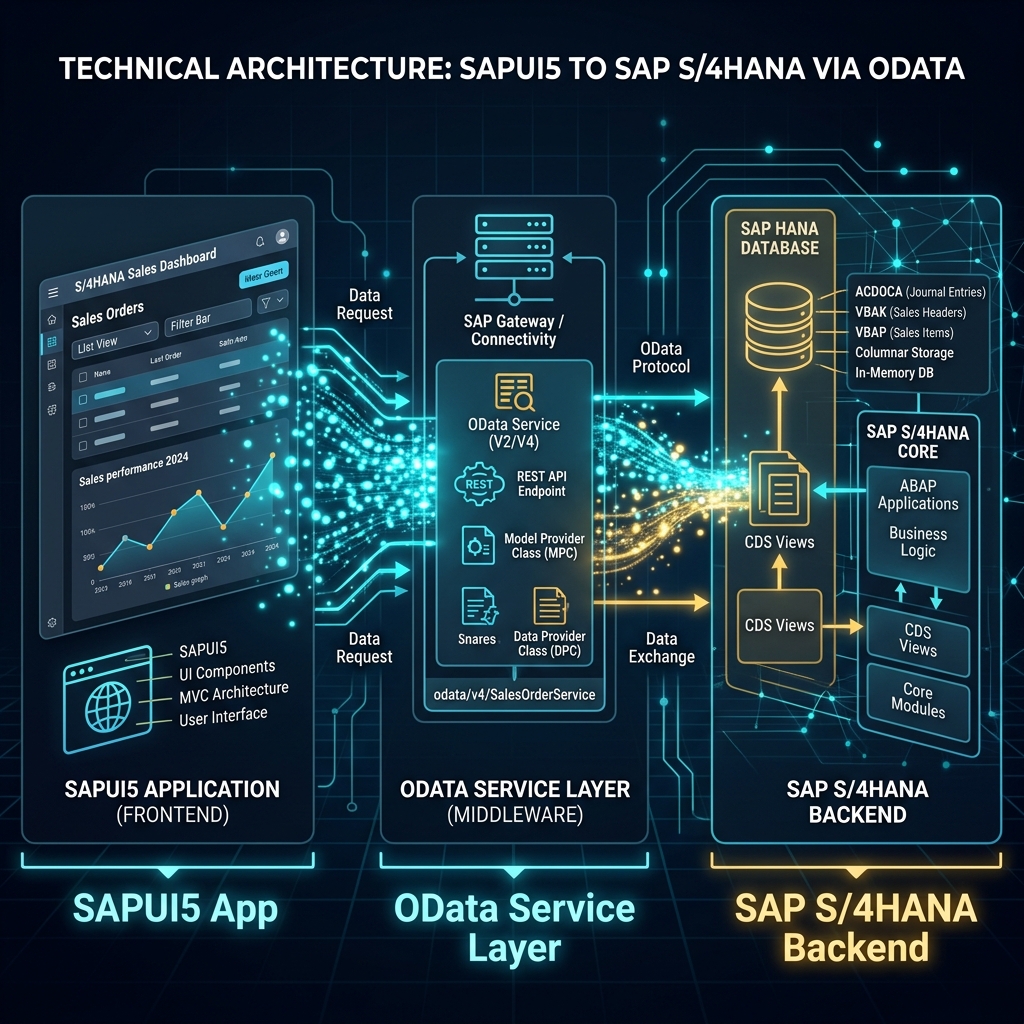 Figure 1: SAP BTP Integration Suite acts as the unified cloud-native middleware connecting standard enterprise environments.
Alright so last post we covered SAP BTP as a whole — all four pillars, architecture, free tier, career scope.
If you haven’t read that one yet, I’d suggest going back and reading it first because this post builds directly on top of it. Link is right here on this blog.
Done? Good. Let’s continue.
In that post I mentioned SAP Integration Suite as one of the hottest skill sets in SAP right now. Multiple people dropped comments and DMs asking the same thing — “Daksh bhai Integration Suite ke baare mein detail mein batao, kya hota hai exactly?”
So that’s exactly what this post is.
Integration Suite is one of those topics that sounds complicated on paper but makes complete sense once someone explains it with real examples. And that’s what I’m going to do right now — explain it like a human, with real scenarios, actual architecture, and practical career advice.
Sit tight. This one’s detailed.
The Problem Integration Suite Solves — Start Here
Before understanding any product, understand the problem it solves. Because once you feel the pain of the problem, the solution makes instinctive sense.
Picture a large company. Let’s call them Hindustan Manufacturing Ltd. They run:
- SAP S/4HANA for finance, procurement, and production
- Salesforce for sales and customer management
- Workday for HR and payroll
- A custom logistics platform for warehouse and delivery tracking
- A government GST portal for tax filing
- Multiple vendor portals for supplier communication
Every single day, data needs to flow between these systems:
- When a sales rep closes a deal in Salesforce → a customer order needs to be created in S/4HANA automatically.
- When S/4HANA confirms goods are dispatched → the logistics platform needs to update delivery status.
- When payroll runs in Workday → finance entries need to post in S/4HANA.
- When an invoice is raised in S/4HANA → GST data needs to go to government portal.
- When a vendor confirms a purchase order on their portal → S/4HANA needs to update PO status.
Without an integration platform — each of these connections is a custom point-to-point integration. One team writes a custom connector between S/4HANA and Salesforce. Another writes a different one between S/4HANA and Workday. Another one for logistics. Each is built differently, maintained separately, monitored independently.
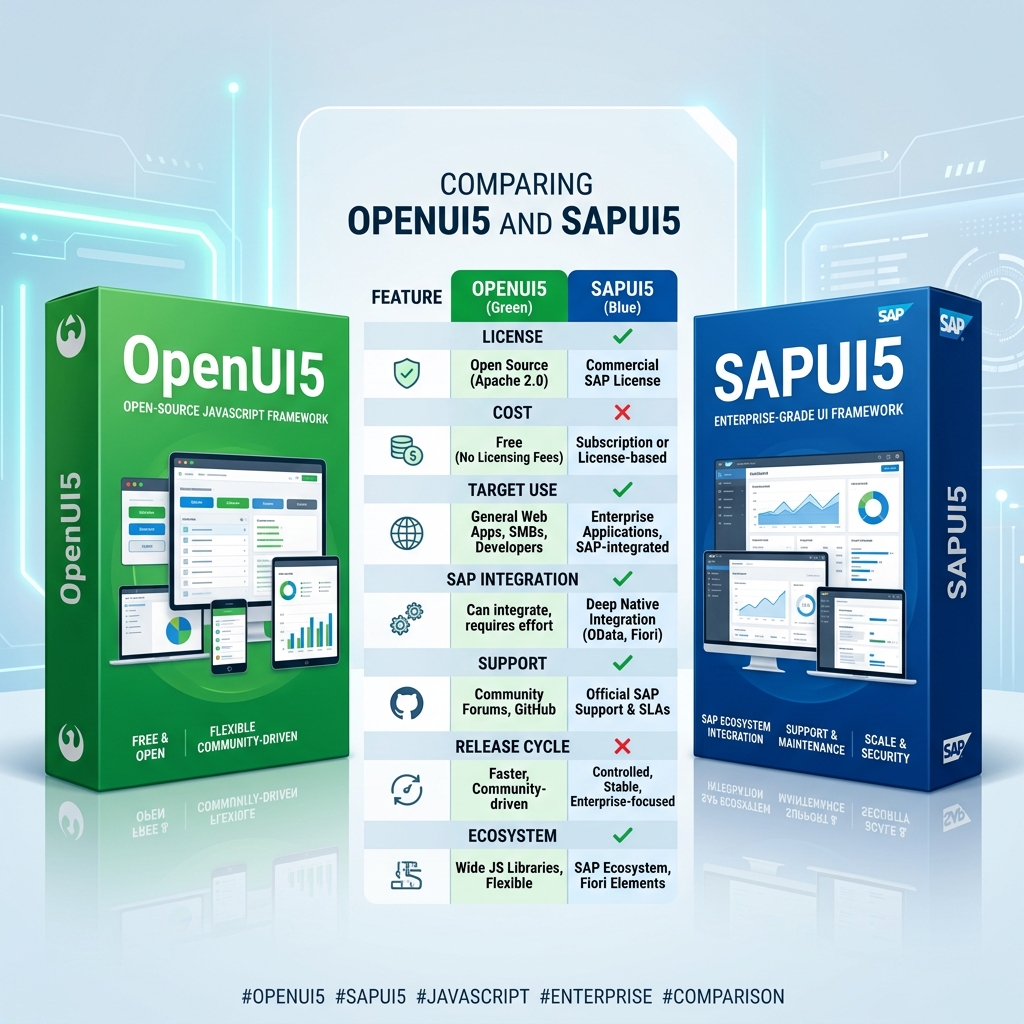 Figure 2: The classic point-to-point “spaghetti architecture” contrasted with a clean, centralized integration hub.
Five systems means potentially twenty-five different point-to-point connections. Ten systems means potentially a hundred. This is what IT architects call a spaghetti architecture — and it’s an absolute nightmare to maintain, monitor, and change.
SAP Integration Suite solves this by being the central hub. Instead of systems talking to each other directly, everything talks to Integration Suite. Integration Suite handles the translation, transformation, routing, error handling, and monitoring — centrally, consistently, visibly.
One platform to rule all integrations. That’s the core idea.
What Exactly Is SAP Integration Suite?
SAP Integration Suite is an Integration Platform as a Service (iPaaS) — a cloud-based platform for designing, deploying, and monitoring integrations between SAP and non-SAP systems.
It lives on SAP BTP. You access it through a browser. You build integrations visually — no server setup, no middleware installation, no infrastructure management.
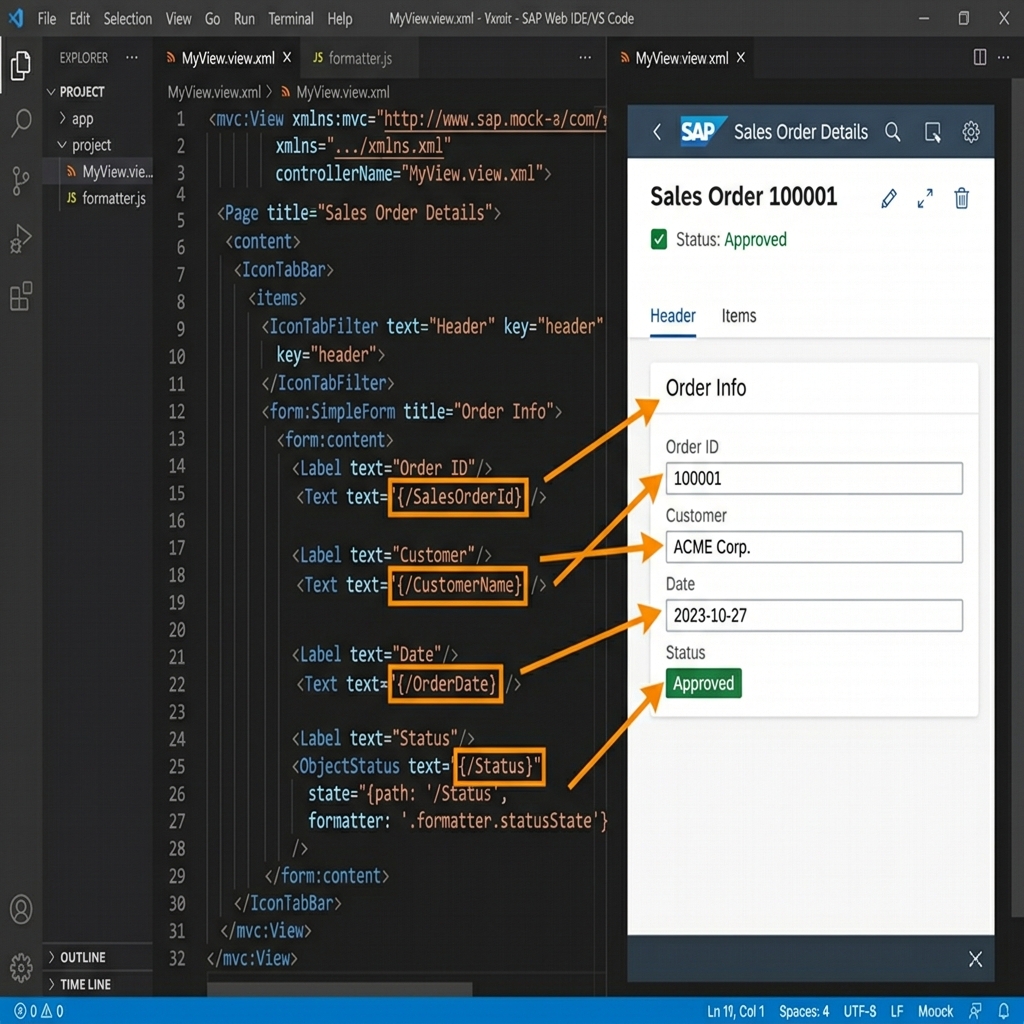 Figure 3: Graphical drag-and-drop iFlow modeling workspace inside the browser.
Previously SAP had separate products — SAP CPI (Cloud Platform Integration), SAP API Management, SAP Open Connectors. Integration Suite unified all of these into one package under BTP.
So when you hear someone say “SAP CPI” — they’re usually referring to the Cloud Integration capability inside Integration Suite. The terms are often used interchangeably in the industry, though technically CPI is just one component of the broader Integration Suite.
What’s Inside Integration Suite — All Six Capabilities
Integration Suite isn’t one tool — it’s six capabilities bundled together. Let me go through each one properly.
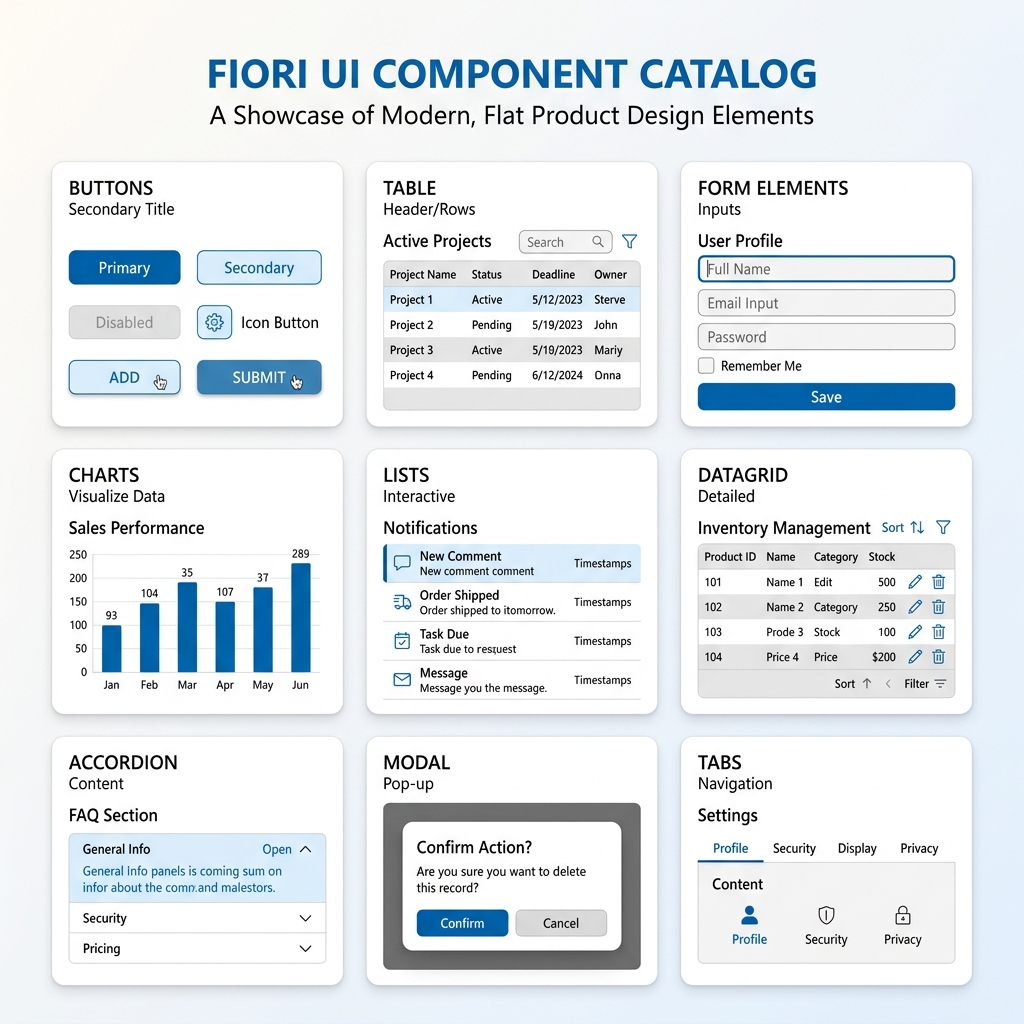 Figure 4: The six core capabilities provided by the unified SAP Integration Suite platform.
Capability 1 — Cloud Integration (CPI)
This is the heart of Integration Suite. Cloud Integration is where you build iFlows — integration flows that define exactly how data moves from one system to another.
Think of an iFlow as a flowchart for data. Data enters from System A, gets processed through a series of steps, and arrives at System B transformed correctly.
Steps inside an iFlow can include:
- Receiver/Sender Adapters — connect to source and target systems using protocols like HTTP, SOAP, REST, SFTP, OData, AMQP, Kafka, JDBC
- Message Mapping — transform data structure from source format to target format
- Groovy Script — write custom logic in Groovy programming language for complex transformations
- Content Modifier — add, remove, or modify message headers and properties
- Router — split flow into multiple branches based on conditions
- Aggregator — combine multiple messages into one
- Splitter — split one message into multiple
- Filter — remove messages that don’t meet criteria
- Encoder/Decoder — handle Base64, GZIP, MIME encoding
- Exception Handling — define what happens when errors occur
A complete iFlow for the Salesforce to S/4HANA order creation scenario might look like:
Salesforce sends Order Created event (HTTP)
    → Content Modifier adds authentication headers
    → Message Mapping transforms Salesforce JSON to SAP IDoc format
    → Groovy Script validates required fields
    → Router checks order type
        → Standard orders → S/4HANA OData API
        → Special orders → Email notification + S/4HANA API
    → Exception Sub-Process catches errors
        → Sends failure notification email
        → Logs error details
All of that is configured visually in a drag-and-drop designer inside your browser. No server setup. No deployment pipeline. Design, deploy, run.
Capability 2 — API Management
Every time a system exposes data through an API — that API needs to be secured, monitored, rate-limited, and documented. API Management handles all of this.
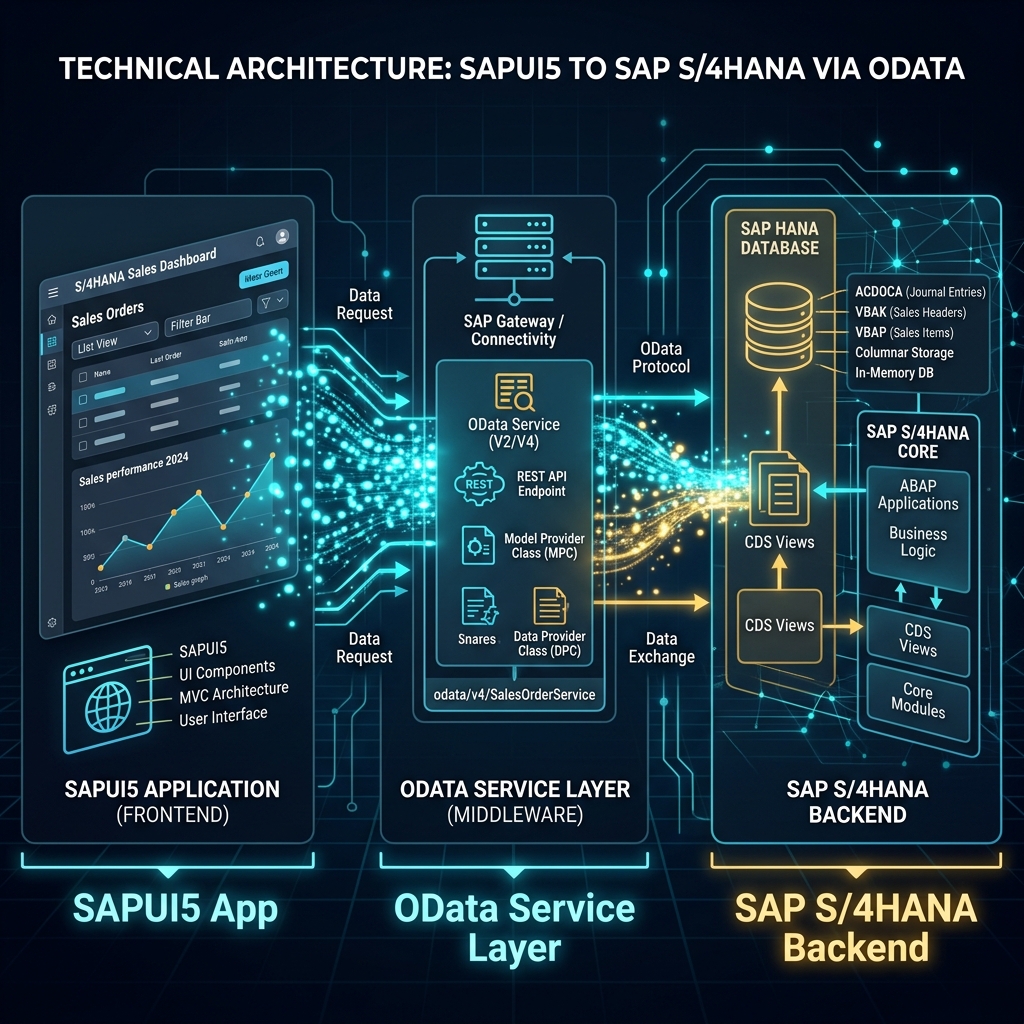 Figure 5: API Proxy and gateway layers protecting corporate backend services.
What API Management does:
- API Proxy — sits in front of your actual API endpoint. External consumers call the proxy, not your backend directly. This means you can change backend without breaking consumer connections.
- Security Policies — enforce authentication (OAuth 2.0, API Key, Basic Auth, JWT), authorization, and SSL/TLS without changing your backend API code.
- Rate Limiting and Quotas — control how many calls a consumer can make per minute, hour, or day. Protect backend systems from being overwhelmed.
- Analytics — track API usage, response times, error rates, consumer patterns. See which APIs are most used, which consumers are heaviest, which endpoints are slowest.
- Developer Portal — a self-service portal where external developers can discover your APIs, read documentation, test APIs interactively, and request access — without contacting your IT team.
For companies exposing SAP data to partners, vendors, or third-party apps — API Management is how you do it professionally and securely.
Capability 3 — Event Mesh
Traditional integration is request-response — System A asks System B for data, System B responds. This works but creates tight coupling and doesn’t scale well for real-time scenarios.
Event-driven architecture is different. System A publishes an event — “Order Created”, “Stock Level Changed”, “Payment Received.” System B, C, and D are all subscribed to relevant events and react immediately when events fire.
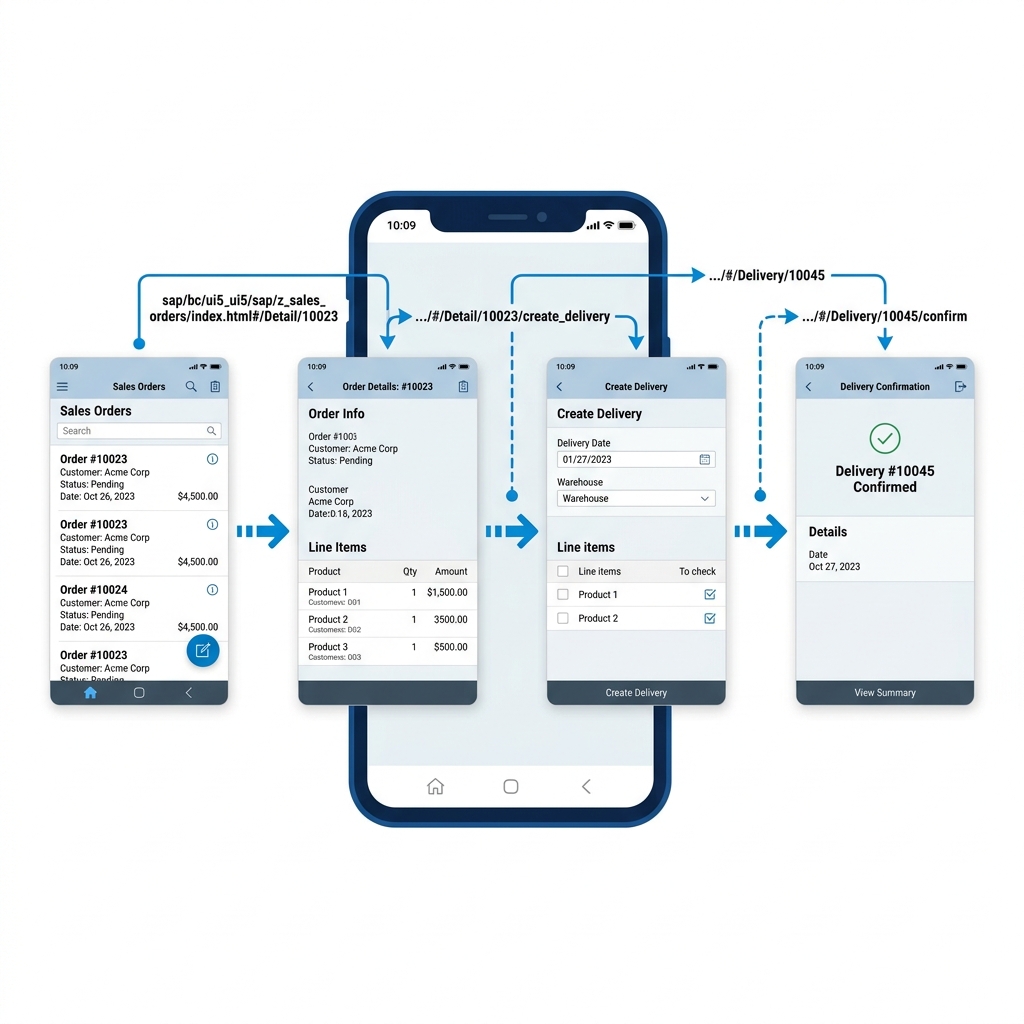 Figure 6: Decoupled, real-time message broadcasting using SAP Event Mesh.
SAP Event Mesh is BTP’s event broker — it manages publishing, subscribing, routing, and delivery of events between systems.
Real scenario where Event Mesh makes sense: When a goods receipt is posted in S/4HANA → Event Mesh immediately notifies:
- Finance system to create accounting document
- Warehouse system to update stock levels
- Procurement system to update PO status
- Analytics system to refresh inventory dashboard
All simultaneously, in real-time, without S/4HANA needing to know about or directly call any of those systems.
This decoupled, event-driven approach is how modern enterprise architectures are being designed — and Integration Suite’s Event Mesh is how SAP fits into that pattern.
Capability 4 — Open Connectors
Not every system has a clean API. Legacy systems, niche SaaS products, industry-specific platforms — many have unusual interfaces that are painful to connect to manually.
Open Connectors provides pre-built connectors for over 170 non-SAP applications — including Dropbox, DocuSign, GitHub, HubSpot, Marketo, Microsoft SharePoint, Slack, Twilio, Zendesk, and many more.
Instead of writing a custom connector to each of these, you use Open Connectors’ pre-built, maintained connectors — saving significant development time and ongoing maintenance effort.
For Integration Suite developers — Open Connectors dramatically expands the range of systems you can connect without specialist knowledge of each platform’s API quirks.
Capability 5 — Integration Advisor
This one is genuinely smart and underappreciated.
Integration Advisor uses machine learning to help build B2B integration mappings faster. B2B integrations — connecting your SAP system with external trading partners, banks, or government portals — involve complex message format standards like EDIFACT, X12, TRADACOMS, HL7 (healthcare), and others.
Mapping between these standards and SAP formats manually is tedious, error-prone work. Integration Advisor:
- Provides a library of industry-standard message type templates
- Suggests field mappings based on semantic similarity using ML
- Generates mapping guidelines that serve as documentation
- Produces ready-to-use mappings that can be directly used in iFlows
For companies doing EDI (Electronic Data Interchange) integrations — Integration Advisor cuts mapping project timelines significantly.
Capability 6 — Trading Partner Management
For companies that exchange business documents electronically with large numbers of trading partners — suppliers, distributors, retailers — managing all those partner configurations manually becomes complex.
Trading Partner Management provides a structured framework for onboarding partners, configuring their communication settings, managing agreements, and monitoring document exchange — all from one place inside Integration Suite.
This is particularly relevant for manufacturing, retail, and logistics companies with large supplier and distributor networks.
iFlow close look — How Integration Actually Works
Since iFlows are the core of Integration Suite, let’s walk through building one properly.
Scenario: Every hour, fetch open purchase requisitions from S/4HANA and send a summary email to the procurement manager.
Explore the stages of this integration pipeline in the visualizer below:
  <!-- Step 1: Timer -->
  <button class="iflow-step-btn active-step w-full md:w-[17%] flex flex-col items-center p-3 rounded-md border-2 border-primary bg-primary/5 text-ink transition-all cursor-pointer outline-none" data-step="timer">
    <div class="w-8 h-8 rounded-full bg-primary text-white flex items-center justify-center mb-2">
      <svg class="w-4 h-4" fill="none" stroke="currentColor" stroke-width="2" viewBox="0 0 24 24"><circle cx="12" cy="12" r="10"></circle><polyline points="12 6 12 12 16 14"></polyline></svg>
    </div>
    <span class="text-[11px] font-semibold text-center leading-tight">1. Timer Start</span>
    <span class="text-[9px] text-ink-muted-48 mt-0.5">Scheduler</span>
  </button>

  <!-- Arrow -->
  <div class="hidden md:flex items-center text-hairline w-[3%] justify-center">
    <svg class="w-4 h-4 text-ink-muted-48" fill="none" stroke="currentColor" stroke-width="2.5" viewBox="0 0 24 24"><polyline points="9 18 15 12 9 6"></polyline></svg>
  </div>
  <div class="flex md:hidden items-center text-hairline h-4 justify-center">
    <svg class="w-4 h-4 rotate-90 text-ink-muted-48" fill="none" stroke="currentColor" stroke-width="2.5" viewBox="0 0 24 24"><polyline points="9 18 15 12 9 6"></polyline></svg>
  </div>

  <!-- Step 2: Fetch OData -->
  <button class="iflow-step-btn w-full md:w-[17%] flex flex-col items-center p-3 rounded-md border-2 border-hairline bg-canvas hover:border-ink-muted-48 text-ink transition-all cursor-pointer outline-none" data-step="odata">
    <div class="w-8 h-8 rounded-full bg-ink-muted-80 text-white flex items-center justify-center mb-2">
      <svg class="w-4 h-4" fill="none" stroke="currentColor" stroke-width="2" viewBox="0 0 24 24"><path d="M10 13a5 5 0 0 0 7.54.54l3-3a5 5 0 0 0-7.07-7.07l-1.72 1.71"></path><path d="M14 11a5 5 0 0 0-7.54-.54l-3 3a5 5 0 0 0 7.07 7.07l1.71-1.71"></path></svg>
    </div>
    <span class="text-[11px] font-semibold text-center leading-tight">2. OData Query</span>
    <span class="text-[9px] text-ink-muted-48 mt-0.5">S/4HANA OData</span>
  </button>

  <!-- Arrow -->
  <div class="hidden md:flex items-center text-hairline w-[3%] justify-center">
    <svg class="w-4 h-4 text-ink-muted-48" fill="none" stroke="currentColor" stroke-width="2.5" viewBox="0 0 24 24"><polyline points="9 18 15 12 9 6"></polyline></svg>
  </div>
  <div class="flex md:hidden items-center text-hairline h-4 justify-center">
    <svg class="w-4 h-4 rotate-90 text-ink-muted-48" fill="none" stroke="currentColor" stroke-width="2.5" viewBox="0 0 24 24"><polyline points="9 18 15 12 9 6"></polyline></svg>
  </div>

  <!-- Step 3: Message Mapping -->
  <button class="iflow-step-btn w-full md:w-[17%] flex flex-col items-center p-3 rounded-md border-2 border-hairline bg-canvas hover:border-ink-muted-48 text-ink transition-all cursor-pointer outline-none" data-step="mapping">
    <div class="w-8 h-8 rounded-full bg-ink-muted-80 text-white flex items-center justify-center mb-2">
      <svg class="w-4 h-4" fill="none" stroke="currentColor" stroke-width="2" viewBox="0 0 24 24"><path d="M4 15s1-1 4-1 5 2 8 2 4-1 4-1V3s-1 1-4 1-5-2-8-2-4 1-4 1z"></path><line x1="4" y1="22" x2="4" y2="15"></line></svg>
    </div>
    <span class="text-[11px] font-semibold text-center leading-tight">3. Mapping</span>
    <span class="text-[9px] text-ink-muted-48 mt-0.5">Structure Align</span>
  </button>

  <!-- Arrow -->
  <div class="hidden md:flex items-center text-hairline w-[3%] justify-center">
    <svg class="w-4 h-4 text-ink-muted-48" fill="none" stroke="currentColor" stroke-width="2.5" viewBox="0 0 24 24"><polyline points="9 18 15 12 9 6"></polyline></svg>
  </div>
  <div class="flex md:hidden items-center text-hairline h-4 justify-center">
    <svg class="w-4 h-4 rotate-90 text-ink-muted-48" fill="none" stroke="currentColor" stroke-width="2.5" viewBox="0 0 24 24"><polyline points="9 18 15 12 9 6"></polyline></svg>
  </div>

  <!-- Step 4: Groovy Script -->
  <button class="iflow-step-btn w-full md:w-[17%] flex flex-col items-center p-3 rounded-md border-2 border-hairline bg-canvas hover:border-ink-muted-48 text-ink transition-all cursor-pointer outline-none" data-step="script">
    <div class="w-8 h-8 rounded-full bg-ink-muted-80 text-white flex items-center justify-center mb-2">
      <svg class="w-4 h-4" fill="none" stroke="currentColor" stroke-width="2" viewBox="0 0 24 24"><polyline points="16 18 22 12 16 6"></polyline><polyline points="8 6 2 12 8 18"></polyline></svg>
    </div>
    <span class="text-[11px] font-semibold text-center leading-tight">4. Groovy Script</span>
    <span class="text-[9px] text-ink-muted-48 mt-0.5">Calculations / DSL</span>
  </button>

  <!-- Arrow -->
  <div class="hidden md:flex items-center text-hairline w-[3%] justify-center">
    <svg class="w-4 h-4 text-ink-muted-48" fill="none" stroke="currentColor" stroke-width="2.5" viewBox="0 0 24 24"><polyline points="9 18 15 12 9 6"></polyline></svg>
  </div>
  <div class="flex md:hidden items-center text-hairline h-4 justify-center">
    <svg class="w-4 h-4 rotate-90 text-ink-muted-48" fill="none" stroke="currentColor" stroke-width="2.5" viewBox="0 0 24 24"><polyline points="9 18 15 12 9 6"></polyline></svg>
  </div>

  <!-- Step 5: Mail Delivery -->
  <button class="iflow-step-btn w-full md:w-[17%] flex flex-col items-center p-3 rounded-md border-2 border-hairline bg-canvas hover:border-ink-muted-48 text-ink transition-all cursor-pointer outline-none" data-step="mail">
    <div class="w-8 h-8 rounded-full bg-ink-muted-80 text-white flex items-center justify-center mb-2">
      <svg class="w-4 h-4" fill="none" stroke="currentColor" stroke-width="2" viewBox="0 0 24 24"><path d="M4 4h16c1.1 0 2 .9 2 2v12c0 1.1-.9 2-2 2H4c-1.1 0-2-.9-2-2V6c0-1.1.9-2 2-2z"></path><polyline points="22,6 12,13 2,6"></polyline></svg>
    </div>
    <span class="text-[11px] font-semibold text-center leading-tight">5. SMTP Mail</span>
    <span class="text-[9px] text-ink-muted-48 mt-0.5">Mail Delivery</span>
  </button>

</div>
1. Timer Start Event
This event triggers the iFlow based on a configured schedule. There is no external HTTP call needed to start the integration; CPI's internal calendar daemon takes care of it.
- Timer Trigger: Run Once / Periodically
- Recurrence: Every 60 Minutes (Hourly)
- Initial Payload: null (triggered automatically)
<!-- Panel 2: OData -->
<div id="step-odata-panel" class="iflow-panel hidden">
  <h4 class="font-body-strong text-[15px] mb-2 text-primary font-semibold">2. OData Query to S/4HANA</h4>
  <p class="leading-relaxed mb-4 text-ink-muted-80">CPI executes a GET request to the S/4HANA OData service endpoint to fetch open purchase requisitions.</p>
  <div class="bg-canvas-parchment border border-hairline rounded p-4 font-mono text-[12px] text-ink-muted-80 mb-3">
    <span class="text-ink font-semibold">OData Connection Details:</span><br/>
    - HTTP Method: GET<br/>
    - Service Endpoint: /sap/opu/odata/sap/API_PURCHASE_REQUISITION<br/>
    - Filter Parameter: ProcessingStatus eq 'Open'<br/>
    - Authentication: OAuth2 Client Credentials
  </div>
  <div class="bg-canvas-parchment border border-hairline rounded p-4 font-mono text-[12px] text-ink-muted-80">
    <span class="text-ink font-semibold">Sample Received JSON Payload:</span>
{
"d": {
"results": [
{
"PurchaseRequisition": "00100984",
"Material": "GEARBOX-M01",
"OrderQuantity": "10.00",
"NetPriceAmount": "14500.00"
}
]
}
}
</div>
</div>
<!-- Panel 3: Mapping -->
<div id="step-mapping-panel" class="iflow-panel hidden">
<h4 class="font-body-strong text-[15px] mb-2 text-primary font-semibold">3. Message Mapping</h4>
<p class="leading-relaxed mb-4 text-ink-muted-80">This step transforms the source OData JSON/XML representation into a unified intermediate XML schema, aligning variables like <code>PurchaseRequisition</code> to human-friendly tags.</p>
<div class="grid grid-cols-1 md:grid-cols-2 gap-4">
<div class="bg-canvas-parchment border border-hairline rounded p-4 font-mono text-[12px] text-ink-muted-80">
<span class="text-ink font-semibold">Source Field (S/4HANA):</span><br/>
- PurchaseRequisition<br/>
- Material<br/>
- OrderQuantity<br/>
- NetPriceAmount
</div>
<div class="bg-canvas-parchment border border-hairline rounded p-4 font-mono text-[12px] text-ink-muted-80">
<span class="text-ink font-semibold">Target Mapped Tag:</span><br/>
- <PR_Number><br/>
- <Material_Name><br/>
- <Qty><br/>
- <Price>
</div>
</div>
</div>
<!-- Panel 4: Groovy Script -->
<div id="step-script-panel" class="iflow-panel hidden">
<h4 class="font-body-strong text-[15px] mb-2 text-primary font-semibold">4. Groovy Script Logic</h4>
<p class="leading-relaxed mb-4 text-ink-muted-80">Processes data dynamically using Java and Groovy API scripts. This step aggregates quantity sums and dynamically builds the HTML layout that will be sent via email.</p>
<div class="bg-canvas-parchment border border-hairline rounded p-4 font-mono text-[11px] text-ink-muted-80 overflow-x-auto">import com.sap.gateway.ip.core.customdev.util.Message
import groovy.json.JsonSlurper
def Message processData(Message message) {
def body = message.getBody(String)
def json = new JsonSlurper().parseText(body)
def items = json.d.results
def totalCount = items.size()
def totalValue = items.sum { it.OrderQuantity.toDouble() * it.NetPriceAmount.toDouble() }
def emailHTML = "<h2>Weekly Open PR Summary</h2><p>Total Count: ${totalCount}</p><p>Total Value: INR ${totalValue}</p>"
message.setBody(emailHTML)
return message
}
  </div>
</div>

<!-- Panel 5: Mail -->
<div id="step-mail-panel" class="iflow-panel hidden">
  <h4 class="font-body-strong text-[15px] mb-2 text-primary font-semibold">5. SMTP Mail Delivery</h4>
  <p class="leading-relaxed mb-4 text-ink-muted-80">The email receiver adapter sends the compiled HTML body to the procurement manager's inbox.</p>
  <div class="bg-canvas-parchment border border-hairline rounded p-4 font-mono text-[12px] text-ink-muted-80">
    <span class="text-ink font-semibold">Mail Configuration parameters:</span><br/>
    - Transport Protocol: SMTP (Port 587)<br/>
    - Address: smtp.office365.com<br/>
    - Recipient: procurement-manager@hindustan-mfg.com<br/>
    - Subject: "Daily Open PR Summary Report"
  </div>
</div>
Let me walk through the specific technical steps configuring each element:
Step 1 — Timer Start Event
Set a timer to trigger iFlow every 60 minutes. No external system needed to kick this off — Integration Suite manages the schedule internally.
Step 2 — OData Receiver to S/4HANA
Connect to S/4HANA’s Purchase Requisition OData service. Configure:
- OData Service URL
- Authentication (OAuth2 or Basic Auth)
- Entity set:
A_PurchaseRequisition - Filter:
ProcessingStatus eq 'Open'
Step 3 — Message Mapping
Transform OData JSON response into a clean email body format. Map fields:
RequisitionNumber→ PR Number in emailRequestedQuantity→ QuantityMaterial→ Material DescriptionRequester→ Requested By
Step 4 — Groovy Script
Write custom logic to:
- Count total open requisitions
- Calculate total requested value
- Format currency amounts properly
- Build HTML email body dynamically
 Figure 7: Custom Groovy script logic executed within the message transformation pipeline.
import com.sap.gateway.ip.core.customdev.util.Message

def Message processData(Message message) {
    def body = message.getBody(String)
    def json = new groovy.json.JsonSlurper()
                   .parseText(body)

    def items = json.d.results
    def totalCount = items.size()
    def totalValue = items.sum {
        it.OrderQuantity.toDouble() *
        it.NetPriceAmount.toDouble()
    }

    def emailBody = """
        <h2>Open Purchase Requisitions Summary</h2>
        <p>Total Open PRs: ${totalCount}</p>
        <p>Total Value: INR ${totalValue}</p>
        <table border='1'>
            <tr>
                <th>PR Number</th>
                <th>Material</th>
                <th>Quantity</th>
            </tr>
    """

    items.each { item ->
        emailBody += """
            <tr>
                <td>${item.PurchaseRequisition}</td>
                <td>${item.Material}</td>
                <td>${item.OrderQuantity}</td>
            </tr>
        """
    }

    emailBody += "</table>"
    message.setBody(emailBody)
    return message
}
Step 5 — Mail Receiver Adapter
Configure SMTP email settings. Set recipient to procurement manager’s email. Set subject “Daily Open PR Summary — {current date}.”
Step 6 — Exception Sub-Process
If anything fails — OData call errors, script throws exception, email fails — catch the error and send an alert to IT support email with error details.
Step 7 — Deploy
Click Deploy in Integration Suite. iFlow starts running every hour immediately. No server restart. No deployment pipeline. Instant.
That entire integration — S/4HANA data fetch, transformation, email delivery, error handling — runs reliably in the cloud without anyone maintaining servers.
That’s the power of Integration Suite and why companies are rapidly moving away from custom middleware solutions.
Monitoring in Integration Suite — Knowing What’s Happening
Building integrations is only half the job. Knowing they’re running correctly is the other half.
Integration Suite has a dedicated Monitoring dashboard showing:
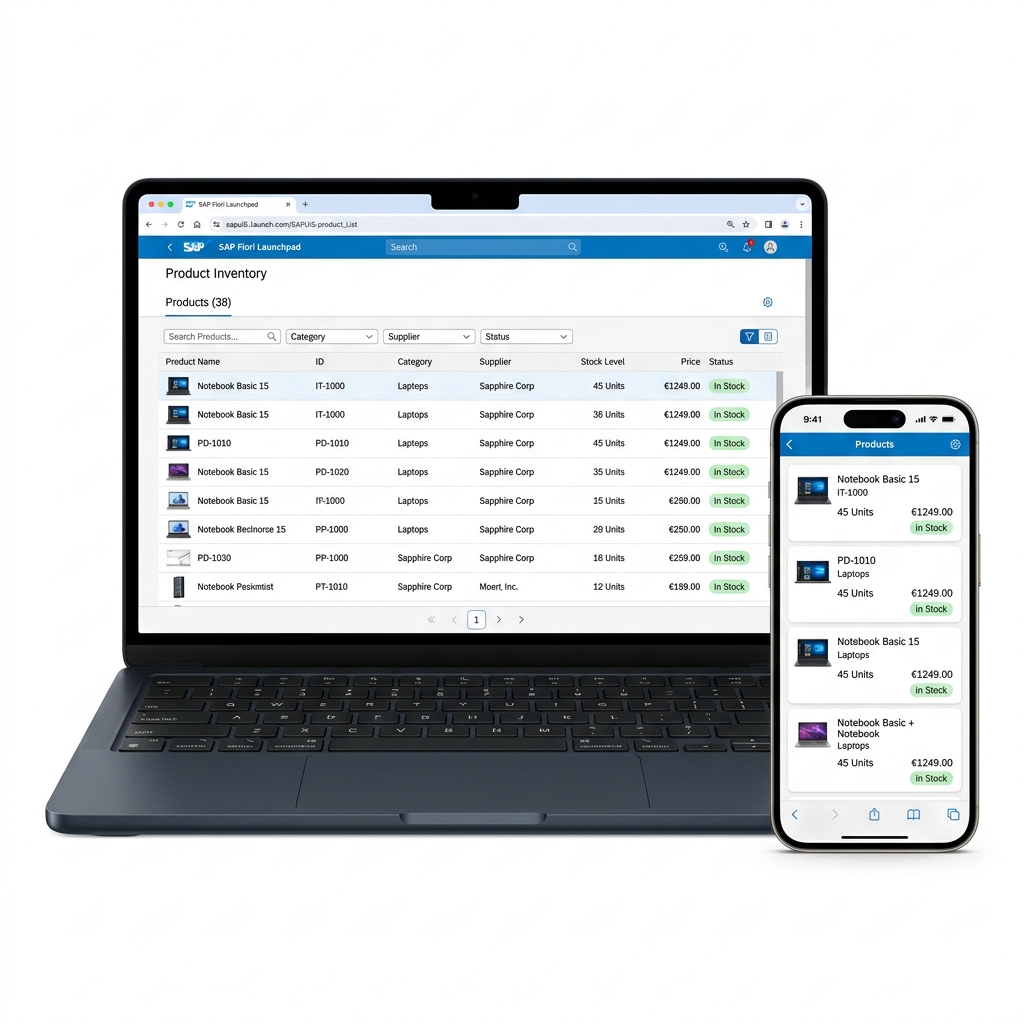 Figure 8: Message monitoring and endpoint health analysis dashboards.
- Message Processing — every message that ran through your iFlows with status (Completed, Failed, Retry), processing time, message payload, and error details for failed messages.
- Integration Content — all deployed iFlows with their status (Started, Stopped, Error). One-click restart if something is stopped.
- System Health — Integration Suite tenant health, connection status to connected systems, certificate expiry warnings.
- Alerting — configure email or Slack notifications when specific iFlows fail — so your team knows immediately without manual monitoring.
For production systems processing thousands of messages daily — monitoring becomes critical. Integration Suite’s monitoring gives operations teams real visibility without needing additional monitoring tools.
SAP Pre-Built Integration Content — Don’t Start from Scratch
Here’s something that saves enormous time — SAP provides pre-built integration packages for common scenarios in the SAP Business Accelerator Hub (api.sap.com).
Pre-built packages available include:
- SAP S/4HANA to Salesforce
- SAP S/4HANA to Microsoft Teams notifications
- SAP SuccessFactors to S/4HANA HR data sync
- SAP Ariba to S/4HANA procurement integration
- SAP S/4HANA to government e-invoicing portals (including India GST)
- SAP S/4HANA to various banking systems for payment processing
These packages contain complete iFlows built by SAP — ready to deploy with minor configuration for your specific system details. Instead of building from scratch, you import the package, configure endpoints and credentials, and deploy.
For Integration Suite beginners — studying these pre-built packages is one of the best ways to learn. Real iFlows built by SAP engineers showing how proper integration architecture looks.
Integration Suite Career Scope — Why This Skill Is So Valuable Right Now
Let me be direct about why Integration Suite specifically is such a strong career move in 2026.
Every large company running SAP runs it alongside multiple other systems. Integration isn’t optional — it’s fundamental. And Integration Suite is rapidly becoming the default answer for how SAP integrates with everything else.
But here’s the supply-demand reality:
Integration Suite is relatively new in its current BTP-native form. Many companies are still migrating from older middleware — SAP Process Integration (PI), SAP Process Orchestration (PO) — to Integration Suite. That migration wave, on top of new implementation demand, creates significant need for skilled Integration Suite developers.
But the talent pool is still small. People who know PI/PO deeply are learning Integration Suite. People coming fresh don’t know either. This gap is where opportunity lives right now.
Roles actively hiring in India 2026:
- SAP Integration Consultant (Integration Suite / CPI)
- SAP BTP Integration Developer
- SAP API Management Specialist
- SAP PI/PO to Integration Suite Migration Consultant
- SAP Integration Architect
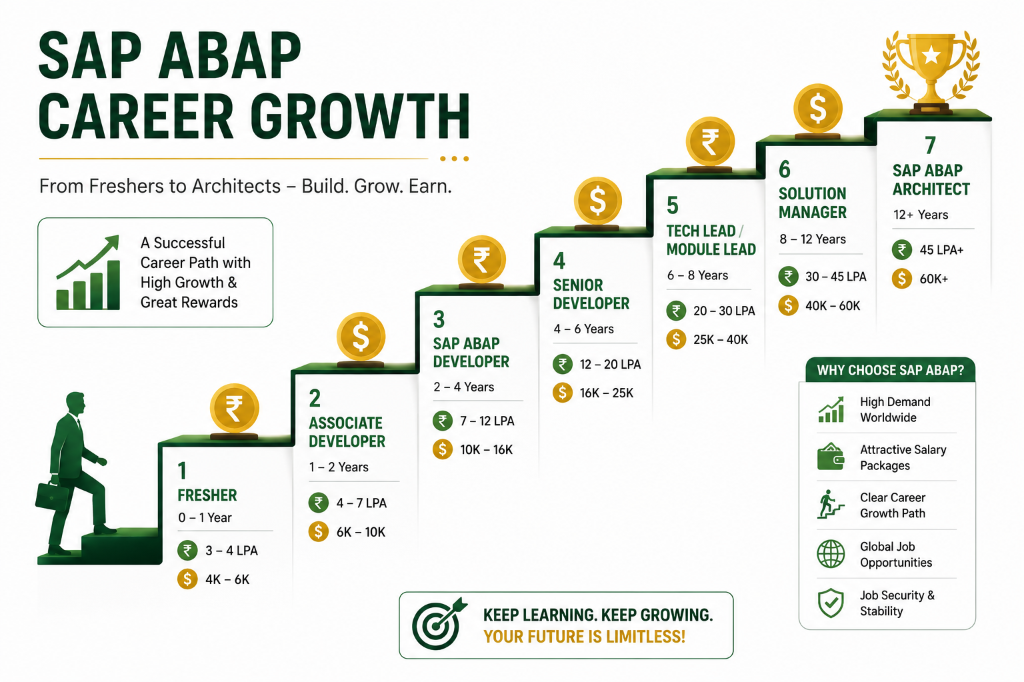 Figure 9: Typical career growth paths and salary trajectories for SAP integration specialists in 2026.
Salary ranges (India, 2026 approximate):
| Experience | Role | CTC Range |
|---|---|---|
| 1-2 years | Junior Integration Developer | ₹8 LPA – ₹14 LPA |
| 2-4 years | Integration Consultant | ₹14 LPA – ₹24 LPA |
| 4-7 years | Senior Integration Consultant | ₹24 LPA – ₹40 LPA |
| 7+ years | Integration Architect | ₹40 LPA – ₹70+ LPA |
For international roles — Integration Suite architects on European projects earn between €90,000 to €150,000 annually. Middle East contracts run $5,000 to $10,000 per month for experienced consultants.
How to Start Learning Integration Suite for Free
Practical steps using only free resources:
- Week 1: Complete “SAP Integration Suite” learning journey on learning.sap.com — free overview content covering all capabilities
- Week 2: Set up BTP trial account. Activate Integration Suite trial. Explore the UI — don’t build anything yet, just navigate and understand the interface sections
- Week 3: Study SAP pre-built iFlows on api.sap.com. Import one into your trial. Read through every step. Understand what each component does before modifying anything.
- Week 4: Build your first iFlow from scratch — something simple. Timer trigger → HTTP call to a public REST API → log the response. Small but complete.
- Week 5-6: Build a meaningful iFlow. Connect two systems — even if one is a mock. Practice message mapping, Groovy scripting, error handling.
- Ongoing: Follow “SAP Integration” tag on SAP Community. Watch SAP Integration Suite playlist on SAP Developers YouTube. Read migration guides from PI/PO to Integration Suite — even without PI/PO background, these explain concepts deeply.
Key Takeaway
Integration Suite sits at the intersection of every technology decision a modern enterprise makes. Cloud migration, digital transformation, vendor onboarding, analytics, AI — all of it requires reliable data flow between systems. All of it goes through integration.
Companies that implement Integration Suite well become genuinely agile — adding new system connections in days instead of months, monitoring all data flows from one screen, exposing SAP data through secure APIs to partners and developers.
Professionals who understand Integration Suite deeply become the people those companies cannot afford to lose — because they understand not just the technology but the business flows that technology enables.
If you’ve been looking for a SAP specialization that’s both technically interesting and commercially valuable — Integration Suite deserves serious consideration.
Start with the free tier. Build one iFlow. Then build another. The learning curve is real but the payoff is significant.
Keep building. Keep learning.
 Figure 10: smooth digital connectivity delivered across standard enterprise application environments.
— Daksh
Self-Assessment Checkpoint
💡 **What is the difference between Cloud Integration (CPI) and API Management?**
Cloud Integration (CPI) focuses on complex orchestration, message routing, protocol conversions (e.g. SOAP to OData), and scheduled batch integrations. API Management acts as a lightweight security gateway / proxy that wraps existing endpoints to handle rate-limiting, security token validation (like OAuth/API keys), and usage monitoring.
💡 **How does the BTP Event Mesh enable decoupled system connectivity?**
Event Mesh uses a publish-subscribe model. When an event (e.g., ‘Goods Receipt Posted’) occurs in S/4HANA, it publishes a message to Event Mesh. Subscribing systems (like warehouse or analytics) pull this message independently, meaning the sender system does not wait for a response or even need to know which systems are consuming the event.
💡 **Why are pre-built integration flows on the Business Accelerator Hub useful?**
They provide official, SAP-tested templates for connecting common standard systems (e.g., S/4HANA to Salesforce). Importing these flows reduces custom development timelines from weeks to hours since they handle standard mappings and error handling structures out-of-the-box.

Written by Daksh Dedha
SAP Technical ConsultantDaksh is an SAP Technical Consultant specializing in ABAP programming, SAP S/4HANA migrations, Fiori development, and BTP cloud architecture. He authors free, hands-on tutorials to make enterprise SAP education accessible to all developers.
Test Your Knowledge
Loading question...
Quiz Completed
Related Tutorials
SAP BTP Event Mesh — Asynchronous Integration and Event-Driven Architecture Guide
Understand SAP BTP Event Mesh for event-driven architecture. Learn how queues, topics, webhooks, and asynchronous integration work between S/4HANA and cloud applications.
SAP BTPSAP Build Process Automation — Workflow, RPA, and Business Rules on BTP Guide
Master SAP Build Process Automation on SAP BTP. Learn how workflows, Robotic Process Automation (RPA), Business Rules, and low-code forms automate enterprise processes.
SAP BTPSAP BTP Free Tier Account — How to Get Started Without Spending Anything
Step by step guide to creating a SAP BTP free tier account in 2026. Set up your free BTP subaccount, enable services, and start building apps without a credit card.
Found this tutorial useful? Share it with your SAP development team.